Current Settings | Adjustment States
Adjustment States show how the system adjustment settings react when machine changes are made.
Some items below are only displayed if machine is equipped with the associated option.

H116277-UN-27JAN17
Progress Indicator
Operator Initiated Changes:Operator changes are made using the display or the Armrest Adjustment Dial.
Operator Initiated Changes Progress Indicator.

H118102-UN-27JAN17
Input Field
Operator Initiated Setpoint Value Input Field.
H118101-UN-27JAN17
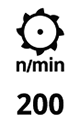
Performance Value
The value displayed below the setting icon represents the actual performance value.The actual value representing the system, which is below the icon, flashes until the actual value matches the new setpoint. Once the value reaches the new setpoint, it continues to display for 1 second before the value and progress indicator are removed from the screen.

H116278-UN-27JAN17
Progress Indicator
Integrated Combine Adjustment 2 (ICA2) Initiated Changes:At any time, you can make manual adjustments while an ICA2 adjustment is being applied. The manual adjustment is made using the current setpoint as a base for making a change.
ICA2 Initiated Progress Indicator.

H118094-UN-27JAN17
Input Field
ICA2 Initiated Setpoint Value Input Field.
H118101-UN-27JAN17
Performance Value
The value displayed below the setting icon represents the actual performance value.The actual value representing the system, which is below the icon, flashes until the actual value matches the new setpoint. Once the value reaches the new setpoint, it continues to display for 1 second before the value and progress indicator are removed from the screen.
After ICA2 adjustments are reached, and after a minimum of 30 seconds have elapsed since the start of ICA2, the blue input field with "AUTO" changes back to black.
H116278-UN-27JAN17
Progress Indicator
Active Terrain Adjustment™ (ATA) Initiated Changes:ATA Initiated Progress Indicator.
H118094-UN-27JAN17
Input Field
ATA Initiated Setpoint Value Input Field.
H116277-UN-27JAN17
Progress Indicator
Operator initiated changes Progress Indicator.

H118107-UN-27JAN17
Input Field
Operator initiated setpoint value input field while ATA is running.While the setpoint input field has encoder focus, the text of the setpoint remains blue. Also, the standard "encoder focus" input field highlight replaces the blue input field while encoder focus is maintained.
H118101-UN-27JAN17
Performance Value
The value displayed below the setting icon represents the actual performance value.The actual value representing the system, which is below the icon, flashes until the actual value matches the new setpoint. Once the value reaches the new setpoint, it continues to display for 1 second before the value and progress indicator are removed from the screen.
ATA Offset indication appears similar to the ICA2 auto-adjustment; however, the input field remains blue with "AUTO" printed on it to indicate that the system is maintaining the offset.
|
SS43267,0000971-19-20170517 |