Dial-A-Speed Dial
Reel Speed/Belt Pickup Speed Automatic Adjust
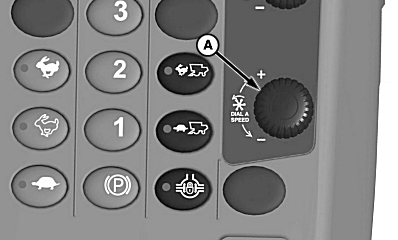
H94723-UN-27JAN10
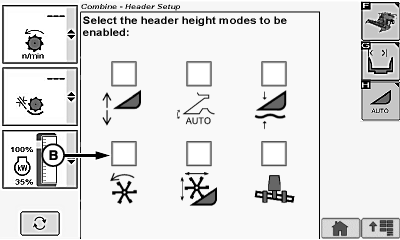
H94724-UN-05OCT10
A - Dial-A-Speed Dial
B - Dial-A-Speed Icon
Dial-A-Speed dial (A) will change speed of reel or belt pickup as determined by operator. Operating speed is a ratio of machine ground speed to reel or belt speed (see Dial-A-Speed System in CommandTouch Cab Cornerpost section).Turn dial towards plus (+) symbol to increase reel or belt pickup speed and setpoint or towards minus (-) symbol to decrease reel and belt pickup speed and setpoint.
Reel Speed/Belt Pickup Speed Manual Adjust
Touch or press confirm switch when Dial-A-Speed icon (B) is highlighted to disable automatic adjust system and to allow manual control.
Turn Dial-A-Speed dial to manually change speed of reel or belt pickup.
Turn dial towards plus (+) symbol to increase reel or belt pickup speed or towards minus (-) symbol to decrease reel and belt pickup speed.
System is in manual mode when:
- Properly equipped header is connected to machine.
- Engine is running.
- Road transport disconnect switch is in field position.
- Header and separator are engaged.
- Dial-A-Speed is disabled or when machine speed is below 0.25 km/h (0.16 mph).
NOTE: Corn heads with reel attached for down corn only run in manual mode.
Reel must be enabled, see Change Header Settings in CommandCenter Display Screens section for further information.
OUO6075,000044C-19-20101201 |