Infotainment
NOTE:

H94486-UN-31MAR10
Infotainment Icon
H95831-UN-05OCT10

H95832-UN-05OCT10
A - Advanced Settings Icon
B - Next Page Icon
C - Radio Setting
D - Plus Symbol
E - Minus Symbol
F - Return/Back Symbol
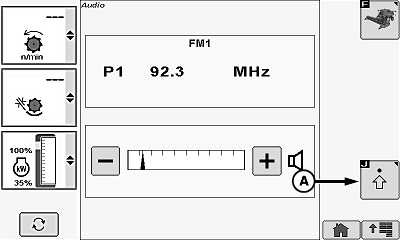
Only displays with Premium radio (DEA355).Touch or press confirm switch when infotainment icon is highlighted.
Touch or press confirm switch when advanced settings icon (A) is highlighted.
Touch or press confirm switch when next page icon (B) is highlighted to access radio settings:
- Bass
- Middle
- Treble
- Fade
- Balance
- EQ—Manual
Once desired radio setting (C) is shown, touch plus (+) symbol (D) or minus (-) symbol (E) or rotate selection dial to increase or decrease bar graph settings.
Repeat as needed to adjust radio settings.
NOTE: Touch or press confirm switch when return/back icon (F) is highlighted to return to previous screen.
OUO6075,00006FF-19-20101109 |