Deck Plate Position Resume
NOTE:
H96245-UN-03MAY10
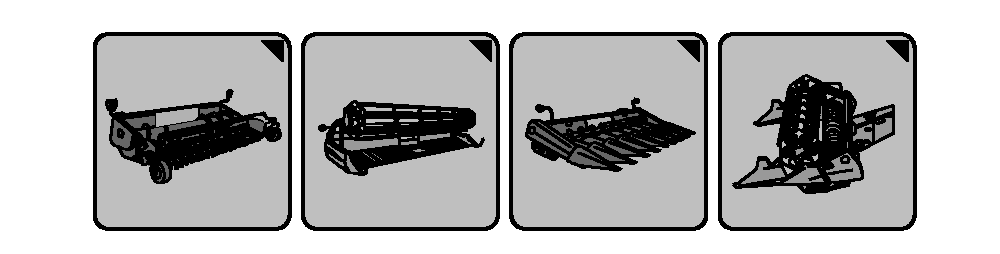
Header Setup Icons
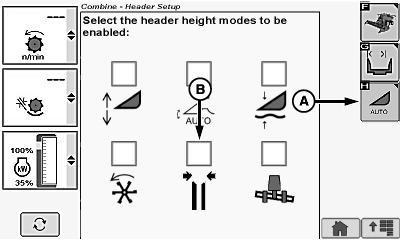
H95943-UN-05OCT10
Corn Head Display
A - Automatic Header Height Modes Icon
B - Deck Plate Position Resume Icon
Header setup icon changes based on type of header connected to machine.Allows operator to select spacing of hydraulically adjustable deck plates and return to that position automatically.
System must be calibrated with each header that is used (see Calibration Procedures section).
Activation buttons 1, 2 or 3 located on the multi-function lever are used to select one of the three different programmable reel positions/deck plate positions.
Enable/Disable System:
Touch or press confirm switch when header setup icon is highlighted.
Touch or press confirm switch when automatic header height modes icon (A) is highlighted.
Touch or press confirm switch when Deck Plate Position Resume icon (B) is highlighted.
NOTE: Checkmark appears indicating system is enabled or disappears indicating system is disabled.
Operation:
H98587-UN-14OCT10

H95091-UN-01NOV10
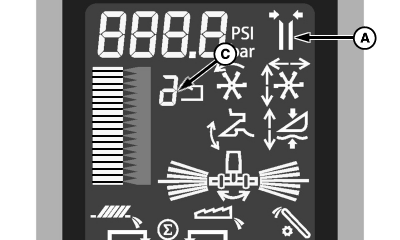
A - Deck Plate Position Resume Icon
B - Reel Lift and Reel Fore/Aft Switch
C - Activation Button Number
System is active when:- Engine is running.
- Road transport disconnect switch is in field position.
- Properly equipped header (with deck plate sensors) is connected to machine and is calibrated.
NOTE: Save Deck Plate Position Resume setpoint by pressing and holding currently selected activation buttons 1, 2, or 3 on multi-function lever for two seconds. Icon (A) flashes indicating setpoint is saved.
Activate Deck Plate Position Resume by pressing activation buttons 1, 2 or 3 on multi-function lever.
Activation button number (C) on display indicates which activation button was selected.
Active Deck Plate Position Resume icon (A) appears on display indicating system is active.
Use reel lift and reel fore/aft switch (B) to obtain desired hydraulic deck plate spacing. Left side of switch increases spacing and right side of switch decreases spacing.
Display indicates current deck plate opening. Deck plates have a range of 0 (minimum position) to 9 (maximum position).
Manually moving reel lift and reel fore/aft switch (B) on multi-function lever deactivates deck plate spacing.
Press activation buttons 1, 2 or 3 to reactivate system. Deck plates automatically move to preselected position.
OUO6075,0000704-19-20101201 |