HydraFlex Pressure Manual Adjust Switch
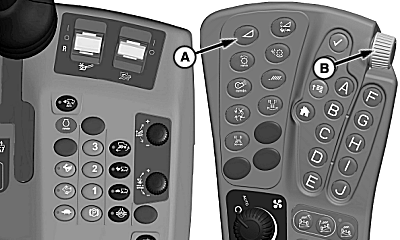
H100053-UN-03FEB11
S Series Combines
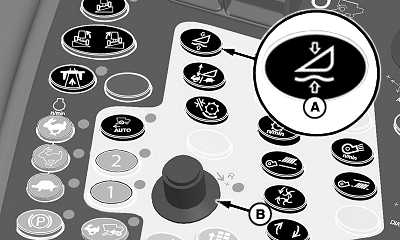
H93483-UN-10MAR10
70 Series Combines
A - HydraFlex Pressure Adjust Switch
B - Selection Dial
HydraFlex pressure adjust switch controls the amount of pressure in the cutterbar as determined by operator.Press HydraFlex pressure adjust switch (A). Indicator light will come on indicating setting can be adjusted.
Turn selection dial (B) towards plus (+) symbol to increase cutterbar pressure, or towards minus (-) symbol to decrease cutterbar pressure.
Setting will be displayed on CommandCenter screen.
KR43067,000080C-19-20110324 |