Harvest Smart Feed Rate—Initial Calibration
NOTE:
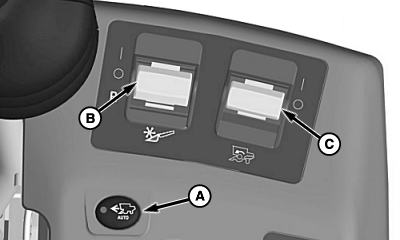
H96239-UN-29APR10
A - Harvest Smart Feed Rate Enable Switch
B - Header Engage Switch
C - Separator Engage Switch
Calibration needs to be done when first time harvesting crops, changing crops, or when field conditions change.Press Harvest Smart feed rate enable switch (A) until OFF is shown on display.
Turn header engage switch (B) and separator engage switch (C) ON and lower header.

H94473-UN-31MAR10
Combine Setup Icon
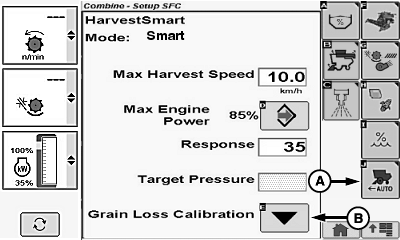
H95952-UN-05OCT10
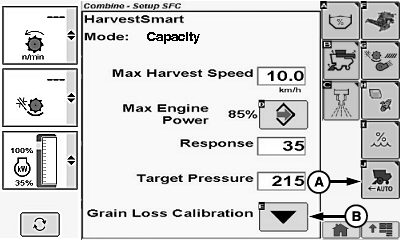
H95953-UN-05OCT10
A - Harvest Smart Feed Rate Setup Icon
B - Grain Loss Calibration Icon
Touch or press confirm switch when combine setup icon is highlighted.Touch or press confirm switch when Harvest Smart Feed Rate setup icon (A) is highlighted.
Operate machine in consistent crop at desired loss levels, maintaining that level for 10 – 15 seconds to allow machine to stabilize.
Touch or press confirm switch when grain loss calibration icon (B) is highlighted. This sets material flow and loss targets for Harvest Smart.
|
OUO6075,0000709-19-20100429 |