Threshing Elements and Tines (TriStream Rotor)—Remove and Install
-
IMPORTANT:
H82539-UN-07MAR05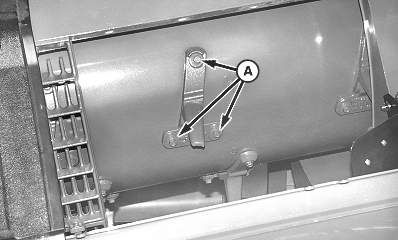
H73898-UN-30OCT02A - Cap Screw
Rotor is a balanced assembly. Elements and tines must be replaced in sets of three to maintain balance. Replacement kits are available through service parts and include new cap screws with pre-applied Threadlock and Sealer. Tines or elements that become loose may result in machine damage.If tines or elements need to be removed for other than replacement, mark location on tine(s)/element(s) and rotor, prior to removal. Install in same location as removed to maintain balance. Always use new cap screws.
Make sure to clean out tailings and front cross auger if tine replacement is due to broken or damaged tines. Failure to do so before initial start-up may allow broken tines to recirculate and cause tine damage to reoccur.
Remove separator grates or concave sections as needed to access rotor. (See Concave Sections—Remove and Install in this section.)
-
Inspect wear on threshing elements and separator tines using KXE10110 Clearance Gauge.
-
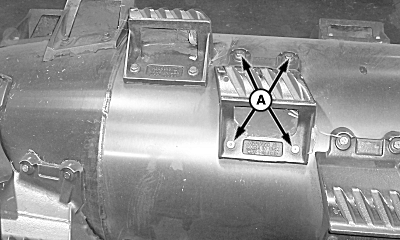
Remove cap screws (A) and threshing element or tine.
-
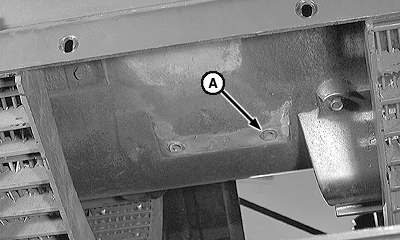
H54006-UN-18FEB99A - Threaded Insert
Inspect RIVNUT® threaded inserts (A). Replace if damaged. -
If one element or tine needs replaced, replace all in the group. Example: If element 2 needs to be replaced, replace elements 1 and 3 also.
-
Use Threshing Elements and Separator Tine Location diagram for identifying elements and tines.
-
Tighten cap screws to specification.
Item Measurement Specification Threshing Element and Separator Tine Cap Screws Torque 90 N·m (66 lb.-ft.)
|
RIVNUT is a trademark of RIVNUT Engineered Products Inc. |
OUO6075,0000B7F-19-20110614 |