Radio Settings
H105093-UN-28MAR12
Infotainment Icon / Audio Application Icon
H104844-UN-27MAR12
H104845-UN-02MAY12
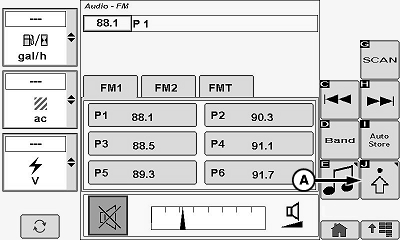
Touch or press confirm switch when advanced settings icon (A) is highlighted to access audio settings.
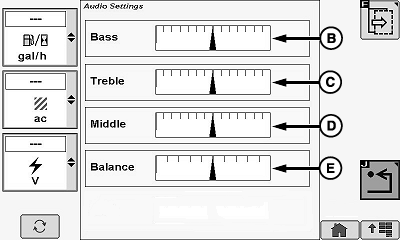
Audio Settings
Allows operator to change different sound settings.
Touch or press confirm switch when desired audio setting is highlighted:
- Bass (B)
- Treble (C)
- Middle (D)
- Balance (E)
Once desired audio setting is highlighted, touch plus (+) symbol or minus (-) symbol or rotate selection dial to increase or decrease bar graph settings.
|
OUO6075,0001127-19-20120503 |