Remove and Install Telescoping Knife Drive Shaft
-
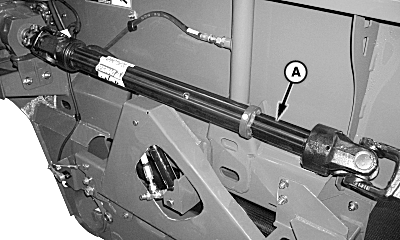
H93058-UN-20JAN10Right-Hand Side Shown
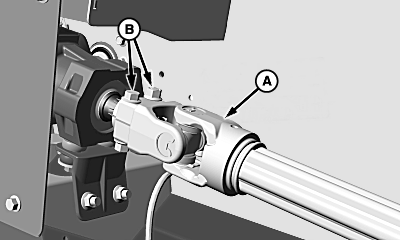
H93059-UN-06MAR09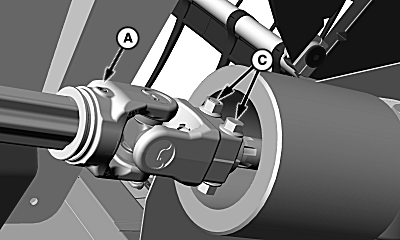
H93060-UN-06MAR09A - Knife Drive Shaft
B - Cap Screws and Nuts
C - Cap Screws and Nuts
Open side shield (see OPEN SIDE SHIELDS in this section). -
 CAUTION: Knife drive shaft weighs approximately 20 kg (44 lb).
Use a suitable lifting device when removing drive shaft.
CAUTION: Knife drive shaft weighs approximately 20 kg (44 lb).
Use a suitable lifting device when removing drive shaft.To minimize risk of injury, keep hands away from telescoping area of shaft when removing.
Loosen cap screws and nuts (B) and disconnect drive shaft (A) from 90° gearbox.
-
Loosen cap screws and nuts (C) and remove drive shaft from knife gearbox.
-
Dual Knife Drive: To ensure knife timing, rotate knife gearbox until knife is positioned all the way outward before installing drive shaft.
-
Install drive shaft in reverse order of removal and tighten cap screws (B and C) to specification.
Item Measurement Specification Drive Shaft Cap Screws Torque 140 N·m (103 lb-ft)
|
KR43067,000037F-19-20100205 |