Dial-A-Speed Reel
Dial-A-Speed dial adjusts ratio of reel speed to ground speed when Auto Reel Speed is enabled on CommandCenter display.
Combine — S Series
-
H100128-UN-08FEB11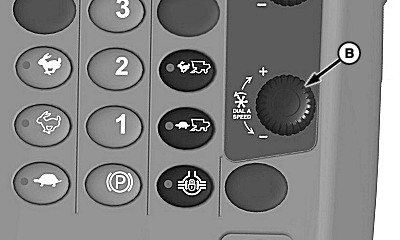
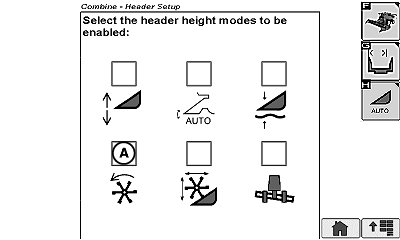
H100129-UN-08FEB11A - Automatic Reel Speed Icon
B - Dial-A-Speed Dial
Start engine and drive forward with header and separator engaged.NOTE: This automatic control will not work if ground speed is less than 1 km/h (0.62 mph). When driving machine slowly through a down and lodged crop, temporarily shut off auto control and use manual speed controls.
-
Enable Automatic Reel Speed icon (A) on Active Header Control display.
-
Rotate Dial-A-Speed dial (B) clockwise (+) until ratio of 3 is displayed.
-
Observe speed of reel and adjust dial until desired ratio to ground speed is achieved. Reel will now speed up or slow down in relation to ground speed.
-
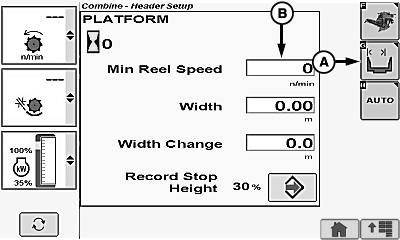
H95085-UN-05OCT10A - Header Width Setup Icon
B - Minimum Reel Speed Box
To change minimum speed:-
Highlight Header Width Setup icon (A) and press confirm switch.
-
Highlight Minimum Reel Speed box (B) and press confirm switch.
-
Rotate selection dial counter-clockwise until desired speed is displayed and press confirm switch. This minimum speed is kept until operator sets new minimum speed (see combine Operators Manual for more information).
-
Combine — 70 Series
-
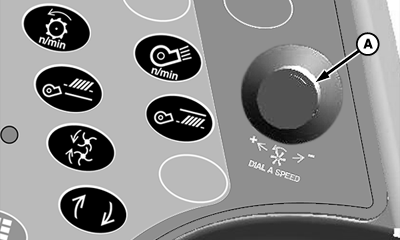
H86947-UN-20NOV06A - Dial-A-Speed Dial
Start engine and drive forward with header and separator engaged.NOTE: This automatic control will not work if ground speed is less than 1 km/h (0.62 mph). When driving machine slowly through a down and lodged crop, temporarily shut off auto control and use manual speed controls.
-
Enable Automatic Reel Speed button on Active Header Control display.
-
Rotate Dial-A-Speed dial clockwise (+) until ratio of 3 is displayed.
-
Observe speed of reel and adjust dial until desired ratio to ground speed is achieved. Reel will now speed up or slow down in relation to ground speed.
-
To change minimum speed:
-
Rotate dial counter-clockwise until ratio of 0 is displayed.
-
Hold manual switch to get desired minimum reel speed.
-
Return ratio dial to prior setting and continue operating. This minimum speed is kept until operator sets new minimum speed (see combine Operators Manual for more information).
-
|
KR43067,0000814-19-20110324 |