User Calibration Procedures (70 Series Combines)
IMPORTANT: Before performing header calibration:
- Completely raise platform
- Unlock and lower auxiliary sensor arms, if equipped (See AUTOMATIC HEADER HEIGHT CONTROL — RIGID MODE in OPERATING THE PLATFORM section)
See your combine Operators Manual for available calibrations.
-
H87479-UN-21FEB07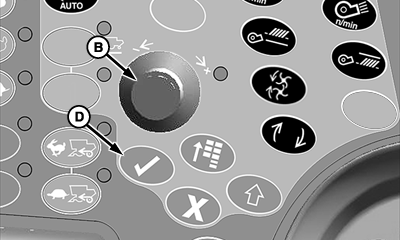
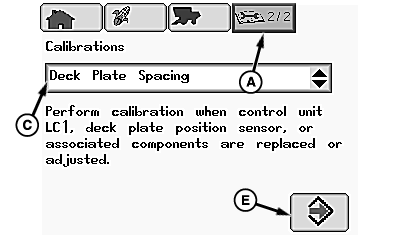
H86977-UN-20NOV06A - Diagnostics and Calibration Icon
B - Selection Dial
C - Calibrations Menu
D - Confirm Switch
E - Enter/Accept Icon
From diagnostics and calibration icon (A), rotate selection dial (B) until calibrations menu (C) is highlighted. Press confirm switch (D). -
Rotate selection dial until desired calibration is highlighted and press confirm switch.
-
Rotate selection dial until Enter/Accept icon (E) is highlighted and press confirm switch.
-
Follow instructions shown on screen to perform desired calibration.
-
Repeat procedure as necessary for additional calibrations.
|
SS43267,0000075-19-20120615 |