Automatic Header Height Control — HydraFlex Mode
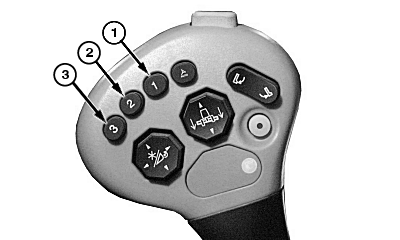
H102591-UN-05JUL11
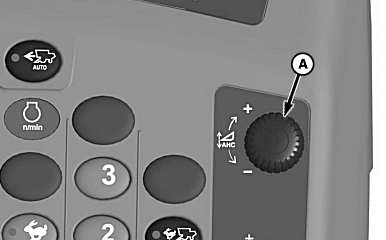
H102595-UN-05JUL11
S Series Shown
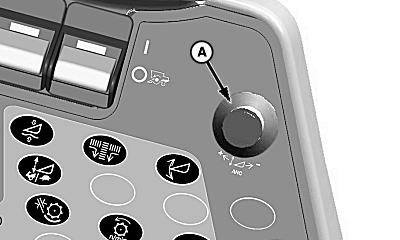
H91680-UN-12MAY08
70 Series Shown
A - Pressure Control Knob
Activation buttons 1, 2, and 3 are located on multi-function lever. When engaged, system float pressure will automatically adjust to the target pressure stored with the associated activation button. Float pressure can be adjusted with pressure control knob (A). Float pressure cannot be adjusted below pre-charge pressure.When running header height control, buttons 1, 2, and 3 give different float priorities between feeder house and platform. Once an activation button is pressed, the corresponding system will begin adjusting. Once selected system has reached a stable level, other systems will be given priority accordingly.
NOTE: The actual activated mode is dependent upon the enabled modes and the setpoint activation button pressed as outlined.
Activation occurs on button press transitions.
|
Activation Button |
First Enabled Mode |
Second Enabled Mode |
Third Enabled Mode |
Fourth Enabled Mode |
|---|---|---|---|---|
|
1 |
Header Height Resume |
Header Height Sensing—Rigid Mode (Off Ground)1 |
Header Height Sensing—HydraFlex Mode (On Ground)1 |
Float |
|
2 |
Header Height Sensing—Rigid Mode (Off Ground)1 |
Header Height Sensing—HydraFlex Mode (On Ground)1 |
Header Height Resume |
Float |
|
3 |
Float |
Header Height Sensing—HydraFlex Mode (On Ground)2 |
Header Height Sensing—Rigid Mode (Off Ground)2 |
Header Height Resume |
See combine Operators Manual for more information.
|
1 On HydraFlex platforms, Header Height Sensing
off ground takes priority over Header Height Sensing on ground if
auxiliary sensors were detected during the header calibration.
|
SS43267,0000167-19-20121106 |