Reel Resume
H104594-UN-26JAN12
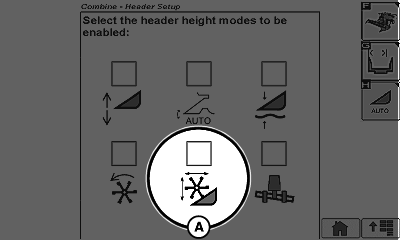
Armrest Display Screen
H104604-UN-26JAN12
A - Reel Resume Enable
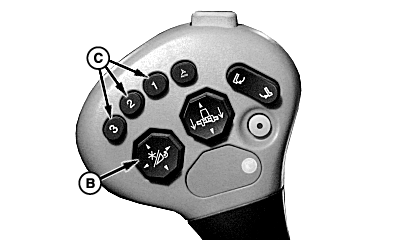
B - Reel Position Switch
C - Activation Switches
Reel resume allows operator to set positions of reel height and fore/aft to meet field conditions (example: down crops, tall crops, short standing crops), and store the settings. Operator can select the preset reel positions for use as needed.To set Reel Resume:
- Enable reel resume (A) on armrest display.
- Set reel height and fore/aft positions using reel position switch (B).
- Press and hold desired activation switch (C) for 3-4 seconds to assign reel settings.
- Assigned reel position can be accessed anytime by pressing activation switch again.
See combine Operator's Manual for more information.
|
SS43267,00001F8-19-20130306 |