Setting Tank Reset Volume
NOTE: Each time tank vol (gal) (A) is pressed on Sprayer Main Page, tank volume can be reset to current default Tank Volume (1200 gal in this example.) Tank volume does not count below 0.
-
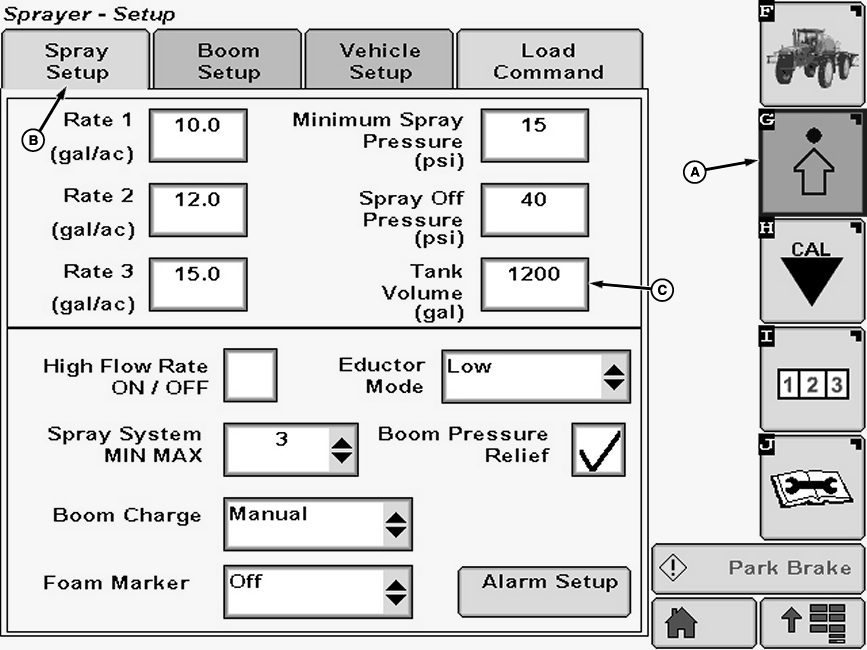
N89487-UN-21SEP10A - Setup Softkey
B - Spray Setup Tab
C - Input box
Select the Setup softkey (A) to view the setup menu. -
Select the Spray Setup tab (B).
-
Select input box (C) next to “Tank Volume (gal)” and enter a new value using pop-up keyboard. Select the Enter button to accept new value.
|
OUO6092,0000420-19-20100921 |