Calibrate Boom Sensors
N89548-UN-23SEP10
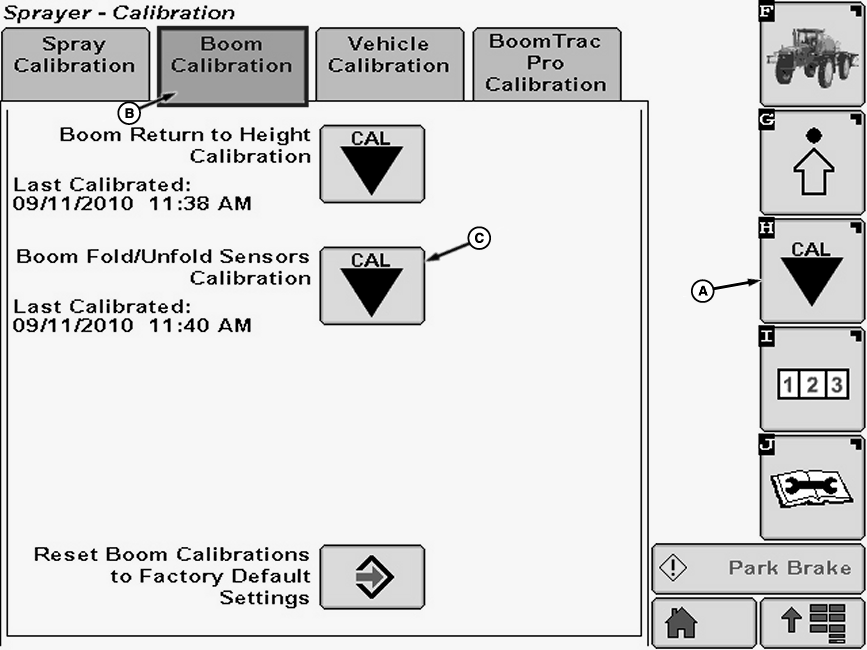
A - Calibration Softkey
B - Boom Calibration Tab
C - Calibration Icon
Boom sensors should be calibrated after:- Replacing any boom sensor or boom sensor linkage
- Replacing the SprayRate Controller (SRC)
- Replacing a fold/unfold cylinder that could adjust the sensor linkages
-
Select the Calibration softkey (A) to view the setup menu.
-
Select the Boom Calibration tab (B).
-
Select calibration icon (C) next to Boom Fold/Unfold Sensors Calibration. Boom Fold/Unfold Sensors Calibration screen will appear.
-
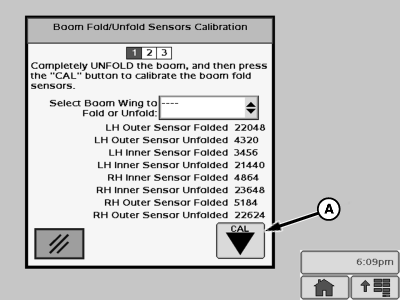
N87276-UN-10NOV09A - “Cal” button
Start with the boom folded and in the boom rests. Unfold the entire boom using “Auto” or “Manual” mode to get every section completely unfolded. (See Boom Folding—27.4, 30.5 and 36.6 m (90, 100 and 120 ft.) Booms in Booms section of this manual for folding procedures.) -
When unfolded select “Cal” button (A).
-
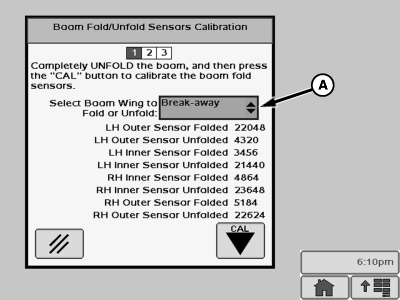
N87278-UN-10NOV09A - Drop-down Menu
Select “Break-away” from the drop-down menu (A). -
Fold the breakaway section.
-
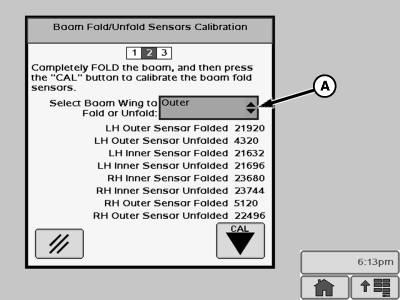
N87279-UN-10NOV09A - Drop-down Menu
Select “Outer” from the drop-down menu (A). -
Fold the outer section.
-
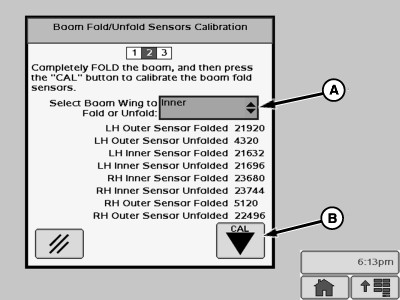
N87280-UN-10NOV09A - Drop-down Menu
B - “Cal” Button
Select “Inner” from the drop-down menu (A). -
Fold the inner section and place boom in boom rests.
-
When boom fold in is completely finished select “Cal” button (B).
-
NOTE: There should be a difference of between 12,000 to 20,000 for the calibration values of the folded versus unfolded readings of each sensor.
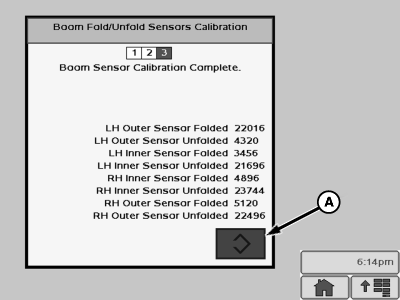
N87281-UN-10NOV09A - “Enter” Button
“Boom Sensor Calibration Complete.” will be displayed. Press Enter button (A) to accept the new calibration values. -
Calibrate boom return to height sensor. (See Calibrate Boom Return To Height in this section.)
|
OUO6092,000043B-19-20100922 |