Calibrate Speed Sensors
-
Fill the solution tank half full of water or solution.
-
Measure a 122 m (400 ft) course with tape measure on flat terrain that is most typical of field conditions (loose, medium, hard-packed). Do not use end rows due to possible varying ground conditions that can affect calibration.
-
Mark both beginning and end of course with markers that are visible from cab.
-
Allow enough room at each end of course for sprayer to travel entire course without speeding up or slowing down.
-
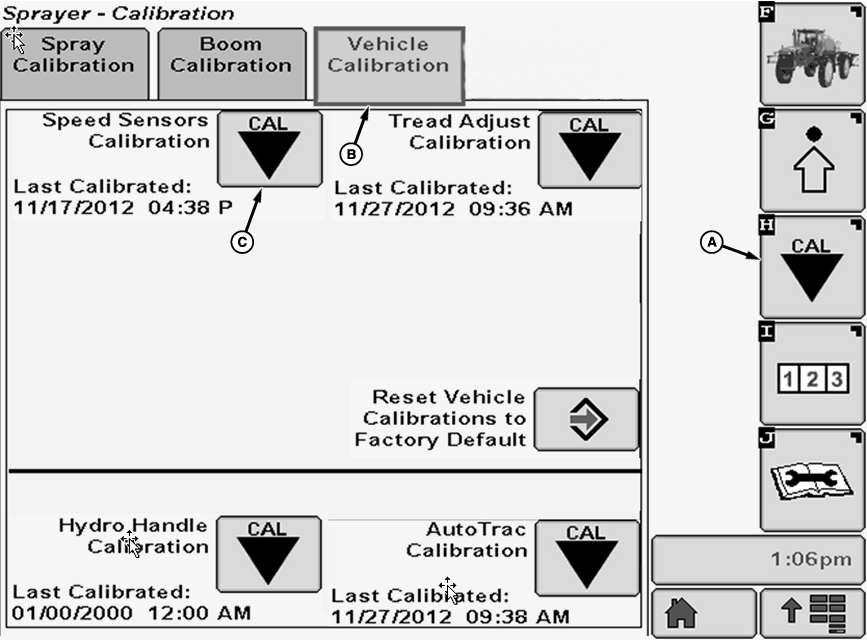
N102642-UN-04JUN13A - Calibration Softkey
B - Vehicle Calibration Tab
C - Calibration Icon
Select the Calibration softkey (A) to view the setup menu. -
Select the Vehicle Calibration tab (B).
-
Select Calibration icon (C) next to Speed Sensors Calibration.
-
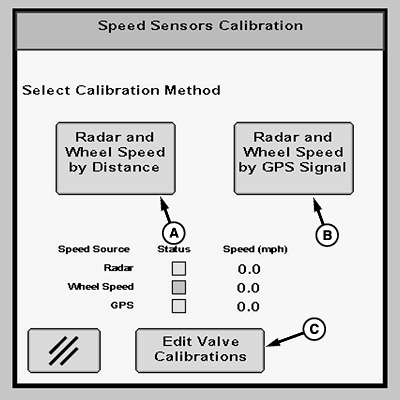
N103390-UN-16MAY13A - Calibrate by Distance Button
B - Calibrate by GPS Signal Button
C - Edit Valve Calibrations Button
Select desired calibration method by pressing calibrate by distance button or calibrate by GPS signal button (A or B). -
Press edit valve calibrations button (C) to edit calibration values when necessary.
-
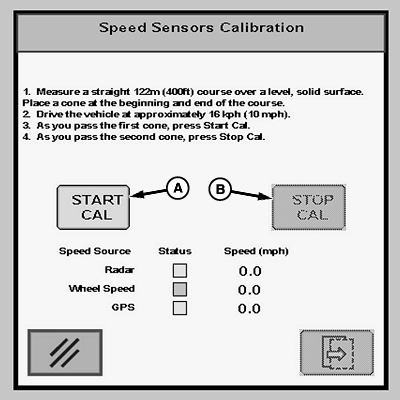
N103391-UN-24APR13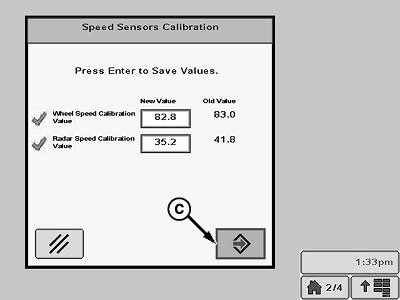
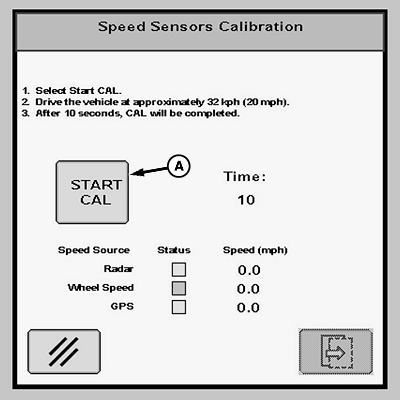
N103393-UN-08MAY13A - Start Cal Button
B - Stop Cal Button
C - Enter Button
To calibrate by distance:-
Follow directions on screen. Press Start Cal button (A) to begin calibration.
-
Press Stop Cal button (B) to complete calibration.
-
Press Enter button (C) to save calibration values.
-
-
N103392-UN-24APR13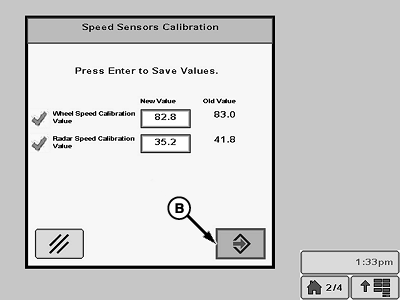
N103395-UN-08MAY13A - Start Cal Button
B - Enter Button
To calibrate by GPS signal:-
Follow instructions on screen. Press Start Cal button (A) to begin calibration.
-
Press Enter button to save calibration values.
-
-
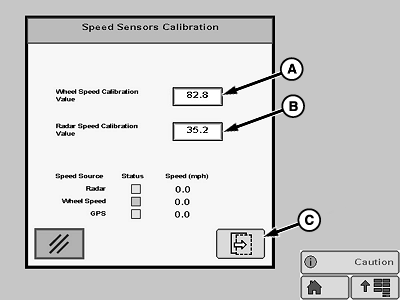
N103851-UN-21MAY13A - Input Box
B - Input Box
C - Enter Button
To edit calibration values:-
Select input box (A or B).
-
Input new value using pop-up keypad.
NOTE: Wheel Speed Calibration Value range is 50 - 94.
Radar Speed Calibration Value range is 28 - 42.
-
Select Enter button (C) to save new values.
-
|
CS12167,0000335-19-20130613 |