Tread Adjust Calibration
IMPORTANT: Machine damage can occur to suspension and wheel assembly if tread width is adjusted when machine is not moving. Tread adjust is disabled if moving over 8 kph (5 mph).
This calibration should be performed when any of the following has occurred:
- Tread Sensor has been replaced
- Treads are not traveling to proper programmed spacing
- Chassis controller has been replaced
- Chassis controller memory has been reset to Factory Default
-
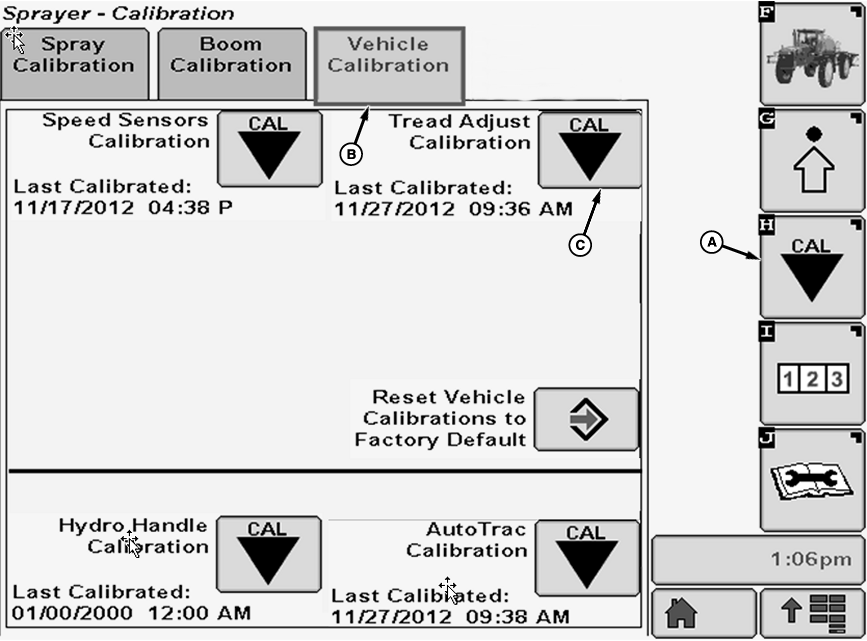
N102644-UN-04JUN13A - Calibration Softkey
B - Vehicle Calibration Tab
C - Calibration Icon
Select the Calibration softkey (A) to view the calibration menu. -
Select the Vehicle Calibration tab (B).
-
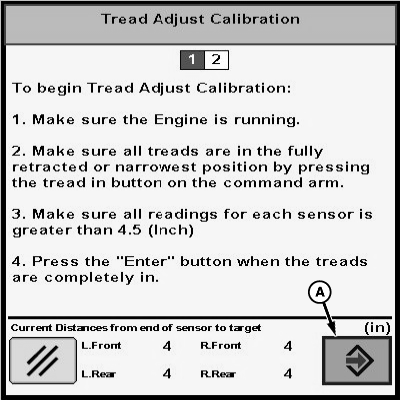
Select Calibration icon (C) next to Tread Adjust Calibration. Tread Adjust Calibration will appear.
-
N103139-UN-10APR13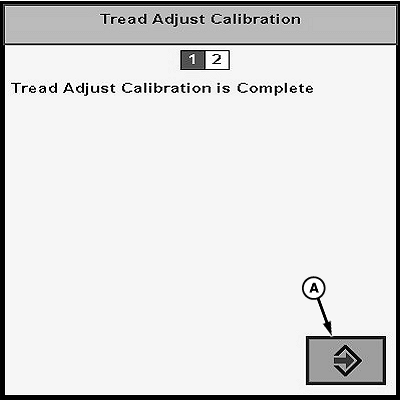
N103140-UN-10APR13A - Enter Button
Follow instructions on first screen. When finished select the Enter button (A). -
“Tread adjust calibration is complete.” will be displayed. Press enter button (A) to return to Vehicle Calibration tab.
|
CS12167,000034E-19-20130424 |