Tilt Valve Calibration
-
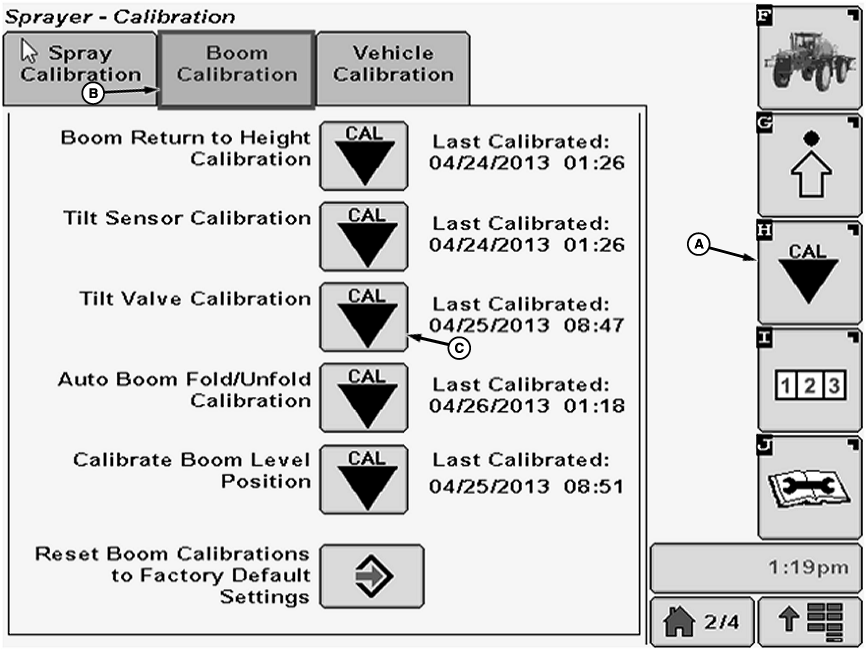
N102383-UN-09MAY13A - Calibration Softkey
B - Boom Calibration Tab
C - Calibration Icon
Select the Calibration softkey (A) to view the setup menu. -
Select the Boom Calibration tab (B).
-
Select Calibration icon (C) next to Tilt Sensor Calibration.
-
Boom Tilt Valve Calibration screen will appear.
-
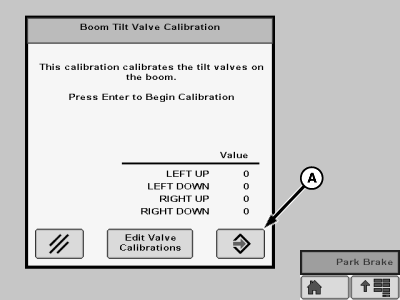
N101922-UN-12FEB13A - Enter Button
Select Enter button (A) to begin calibration. -
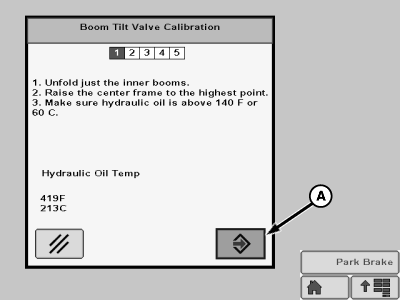
N101923-UN-12FEB13A - Enter Button
Follow instructions on the screen then press the Enter button (A). -
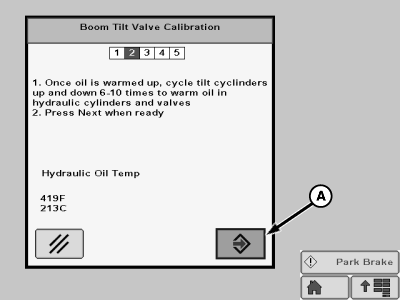
N101924-UN-12FEB13A - Enter Button
Follow instructions on the screen then press the Enter button (A). -
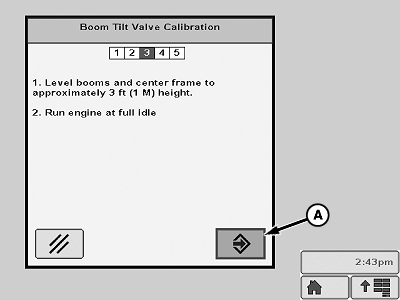
N103155-UN-10APR13A - Enter Button
Follow instructions on the screen then press the Enter button (A). -
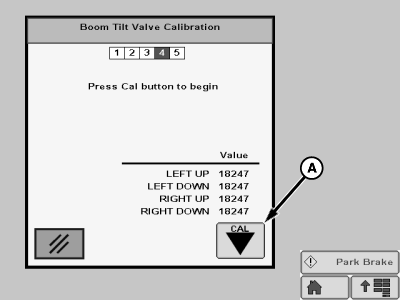
N101926-UN-12FEB13A - Cal Icon
Follow instructions on the screen then press the Cal icon (A). -
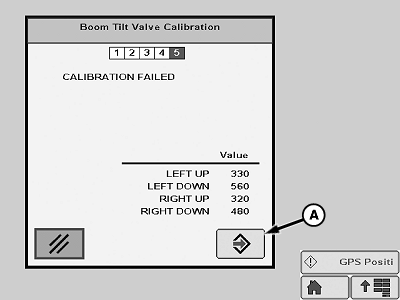
N103156-UN-10APR13A - Enter Button
When calibration is complete press Enter button (A) to exit calibration.
|
CS12167,000037A-19-20130613 |