Reset Display
PC8705-UN-17AUG05
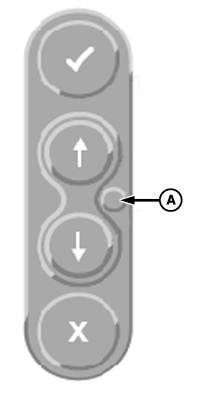
A - DISPLAY RESET button
IMPORTANT: All setup data entered since power up could be lost when using reset button.
Should display fail to respond to operator inputs, system can be reset by pressing and holding the reset button (A) for 3 seconds (until the light on the front of the display starts blinking). This will reboot system and restart all applications on display. If resetting the display is frequently required, contact a John Deere dealer. It is recommended to turn power off before attaching or removing implements and other electrical components on CAN Bus communication system.
|
CS12167,00003BC-19-20130611 |