Operate Distance Counter
-
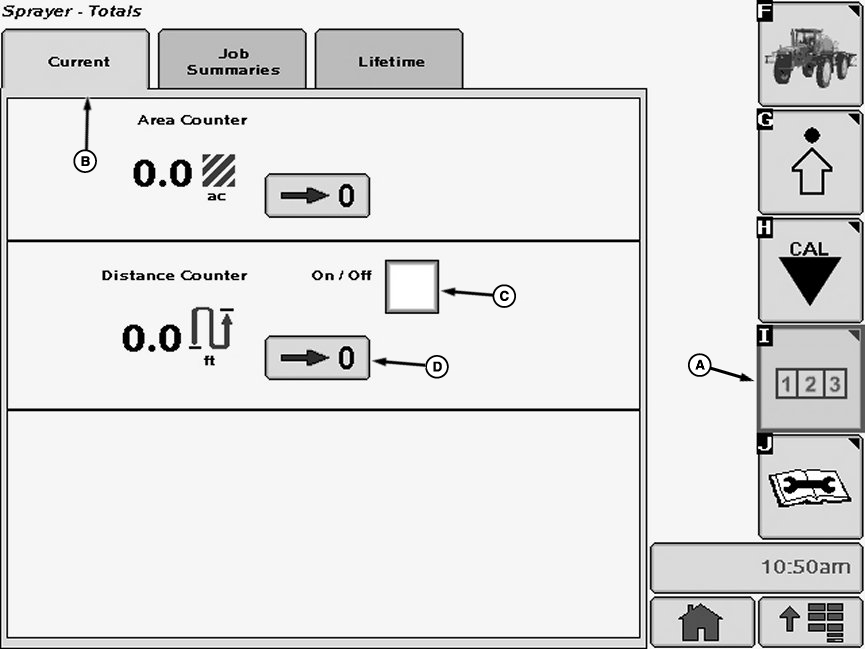
N74950-UN-05FEB07A - Reports and Totals Softkey
B - Current Tab
C - Distance Traveled
D - Zero Button
Select the Reports and Totals softkey (A) to view the sprayer totals menu. -
Select the “Current Tab” tab (B). The current totals page will display instant values.
-
Select check box (C) next to “Distance Counter” and a check will appear inside box activating item. To deactivate a check box, touch check box to remove the check.
NOTE: Distance counter will automatically switch over to kilometers at 1000 m or miles at 5280 ft.
-
Select Zero button (D) to reset the distance counter to zero.
|
CS12167,00003BF-19-20130613 |