Compile MP3 CD
If problems occur with self-made CDs, use blank CDs of a different manufacturers or of a different color.
The CD format must be ISO 9660 Level 1 or Level 2, or Joliet. All other formats cannot be played back reliably.
When converting (encoding) MP3/WMA files from the audio files, use bit rates of 32 to 320 kbps for MP3 files and 32 to 192 kbps for WMA files.
This radio system supports up to 252 directories and up to 255 files per directory. All in all, the CD must not contain more than 512 directories and files. The directories and tracks on the CD can be selected individually.
NOTE: If more than 16 characters (including file extension .mp3 or .wma) are used for file names, the maximum number of tracks and directories is reduced.
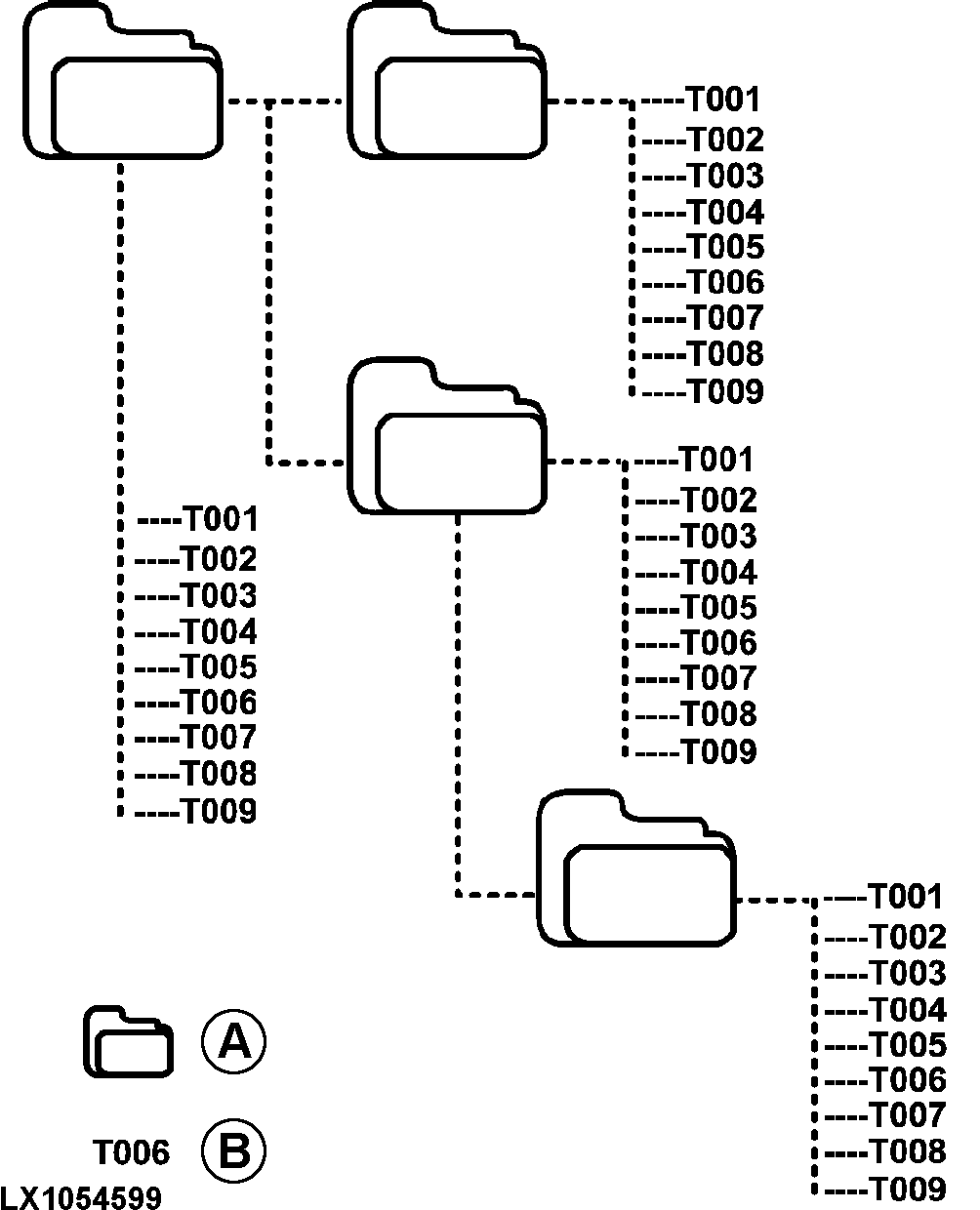
Example for the layout of the structure of a CD:
LX1054599-UN-15SEP11
A - Directories (Folders)
B - Files (Tracks)
Each directory can be named with the PC. The directory name can be displayed on the radio system. Name the directories and tracks/files as described in the software of the CD burner.
NOTE: Do not use umlauts or special characters when naming the files (directories and tracks).
If more than 16 characters (including file extension .mp3 or .wma) are used for file names, the maximum number of tracks and directories is reduced.
Save the files onto the data carrier in the desired playback order. The radio system will play back the files in the same order as they are physically saved on the data carrier.
This radio system will only playback MP3 files with file extension .mp3 and WMA files with file extension .wma.
- If files other than MP3 files are given the file extension .mp3, the files become invalid and will not be played back.
- If CDs containing non-MP3 tracks as well as MP3 tracks are used the radio system will only playback MP3 files.
- If mix mode CDs containing CD audio tracks and MP3 tracks are used the radio system will only playback CD audio tracks.
|
OULXBER,0001C12-19-20120215 |