Job Summaries and Current Totals
Current Totals
N86770-UN-27OCT09
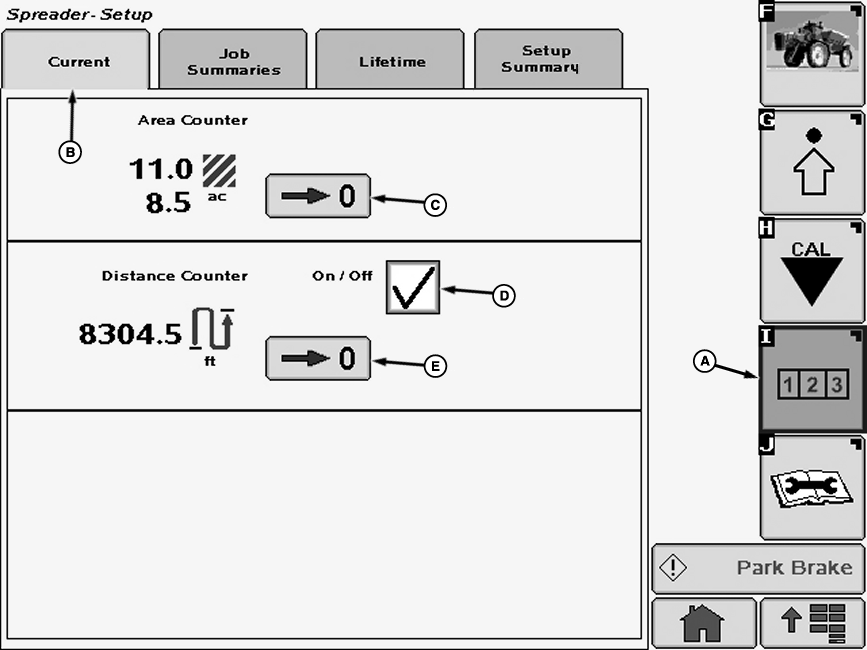
Current Tab
A - Reports and Totals Softkey
B - Current Tab
C - Zero Button
D - Check Box
E - Zero Button
-
Select the Reports and Totals softkey (A) to view the spreader totals menu.
-
Select the “Current Tab” tab (B). The current totals page will display instant values of area covered and distance travelled. These can be reset by selecting the “Zero” buttons (C and E) next to the totals.
Job Summaries
N86771-UN-27OCT09
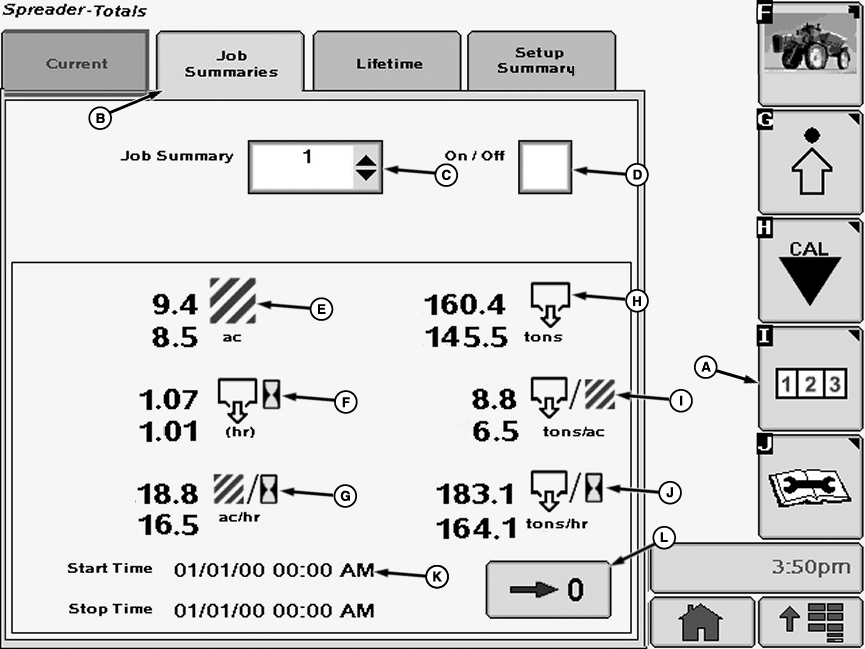
Job Summaries Tab
A - Reports and Totals Softkey
B - Job Summaries Tab
C - Job Summary Drop Down Menu
D - Check Box
E - Area
F - Time Spent Spreading
G - Area Per Hour
H - Volume
I - Volume Per Area
J - Volume Per Hour Spread
K - Start and Stop Times
L - Zero Button
-
Select the Reports and Totals softkey (A) to view the sprayer totals menu.
-
Select the “Job Summaries” tab (B). The job summaries page will keep track of all totals listed on the job page.
- Select the drop-down box (C) next to Job Summary.
- Select a number 1 through 6 for current job.
- Press enter.
- Select the desired job from the job summary drop down menu.
To create a new job follow these steps:
Jobs that are no longer needed may be deleted by pressing the zero button.
Totals can be reset to zero by pressing the zero button.
Lifetime Totals
N78232-UN-02JUL08
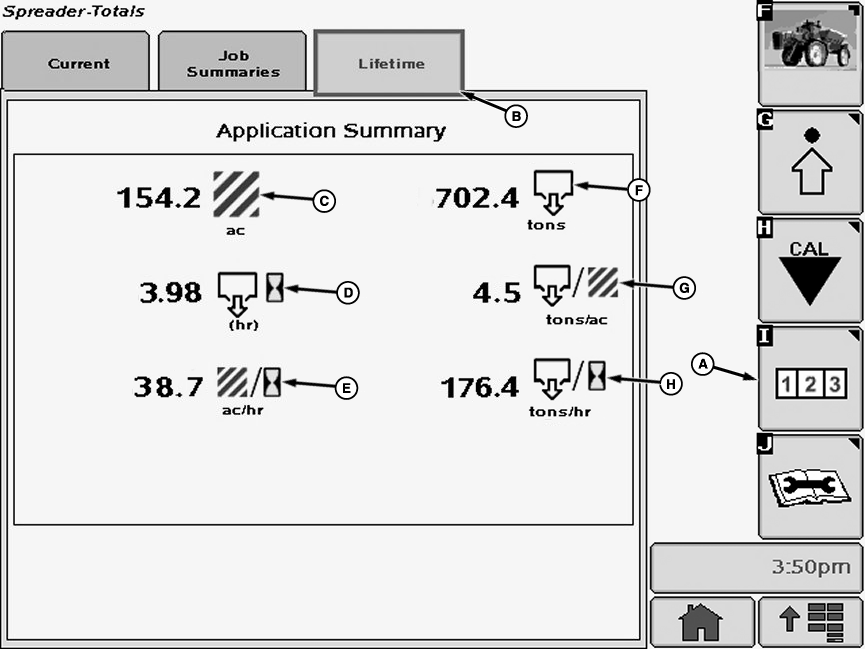
Lifetime Tab
A - Reports and Totals Softkey
B - Lifetime Tab
C - Area
D - Time Spent Spreading
E - Area Per Hour
F - Volume
G - Volume Per Area
H - Volume Per Hour Spread
The “Lifetime” page acts as a general history of job summaries. It will keep track of total area covered, time spent spreading, total volume spread, and machine hours.
|
OUO6092,0000295-19-20091023 |