Hydro Handle Calibration Procedure
N102643-UN-13JUN13
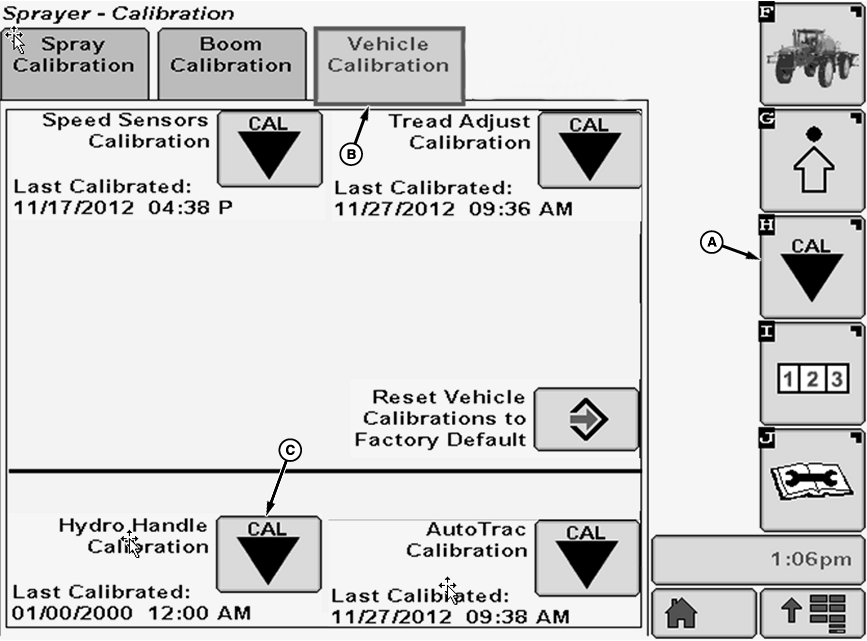
A - Calibration Softkey
B - Vehicle Calibration Tab
C - Calibration Icon
Hydro calibrate procedure is used to determine the characteristics of the multifunction control handle assembly for use in hydrostatic drive train control. This calibration should be performed when any of the following components are serviced or replaced:- Propulsion handle
- Forward, reverse, or park switch
- Propulsion module
- Armrest
- Chassis controller
- Hydro cable
There may also be need to perform the calibration due to normal wear of propulsion control components.
-
Select the Calibration softkey (A).
-
Select the Vehicle Calibration tab (B).
-
Select Calibration icon (C) next to Hydro Handle Calibration. Hydro Handle Calibration screen will appear.
-
N103150-UN-09APR13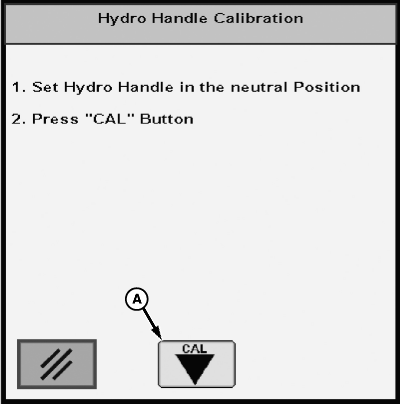
N103151-UN-09APR13A - Cal Icon
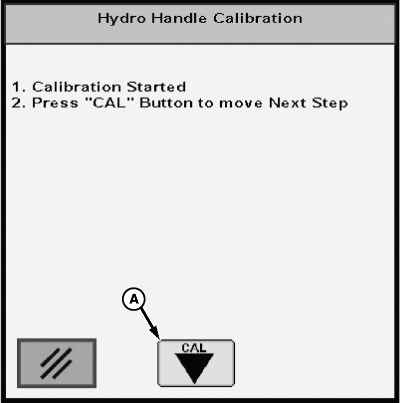
Follow instructions on first screen. Press Cal icon (A) to begin calibration. -
Follow instructions on second screen. Press Cal icon to continue.
-
N103152-UN-09APR13A - Cal Icon
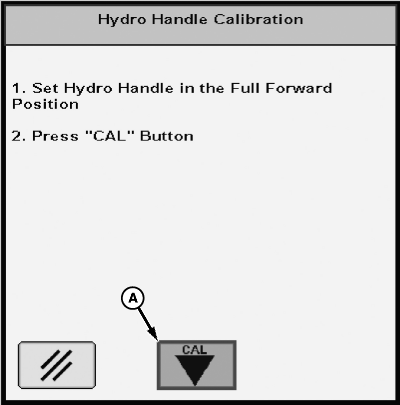
Follow instructions on next screen. Press Cal icon (A) to continue. -
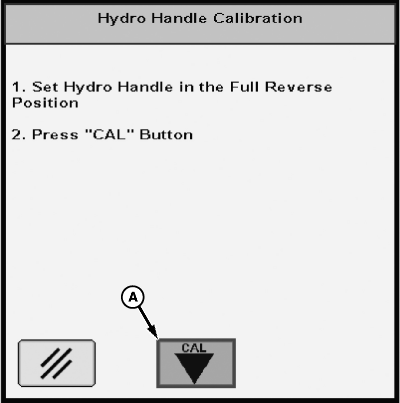
N103153-UN-09APR13A - Cal Icon
Follow instructions on next screen. Press Cal icon (A) to continue. -
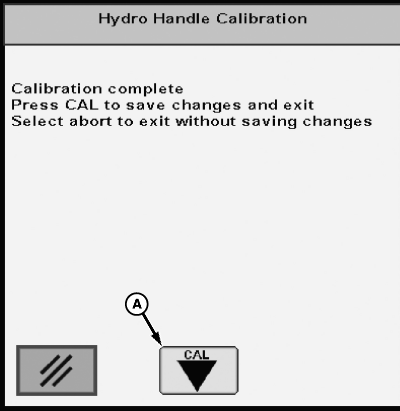
N103154-UN-09APR13A - Cal Icon
Follow instructions on final screen. Press Cal icon (A) to complete calibrationNOTE: If the calibration is aborted at anytime during the process, the controller will revert to previous calibration numbers.
If the calibration is completed and the calibration values are not in range, a message will be posted accordingly with a request to rerun the calibration.
|
OUO6092,000081A-19-20130424 |