Calibrate Boom Fold/Unfold Sensors
N102369-UN-09MAY13
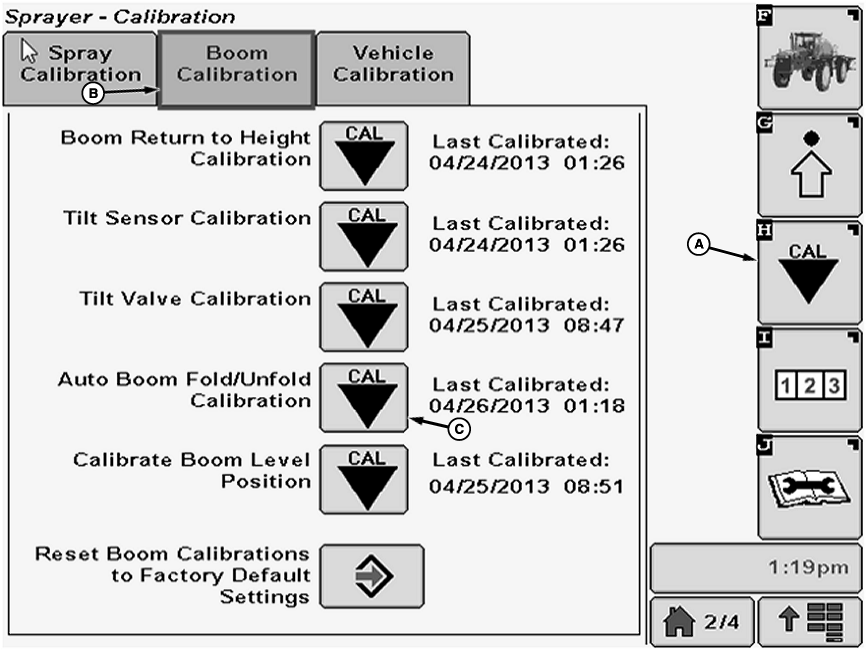
A - Calibration Softkey
B - Boom Calibration Tab
C - Calibration Icon
Boom sensors should be calibrated after:- Replacing any boom sensor or boom sensor linkage
- Replacing the Spray Rate Controller (SRC)
- Replacing a fold/unfold cylinder that could adjust the sensor linkages
-
Select the Calibration softkey (A) to view the setup menu.
-
Select the Boom Calibration tab (B).
-
NOTE: If calibration icon (C) next to Auto Boom Fold/Unfold Calibration is greyed out on the page, the Boom Return to Height Calibration must be done before the Auto Boom Fold/Unfold Calibration can be performed.
Select Calibration icon (C) next to Auto Boom Fold/Unfold Calibration. Auto Boom Fold/Unfold Sensors Calibration screen will appear.
-
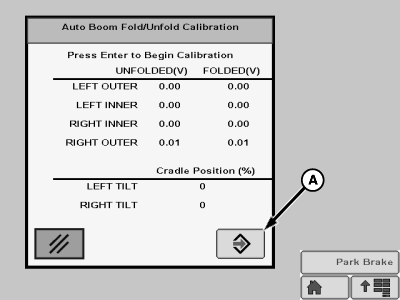
N102370-UN-12FEB13A - Enter Button
Start with the boom folded and in the boom rests. Select Enter button (A) to begin calibration -
IMPORTANT: Booms can contact and may damage the exhaust stack and / or walkway handrail when using manual mode to fold and unfold booms. Do not allow booms to go higher than the top of the cradle support when operating boom in manual mode.
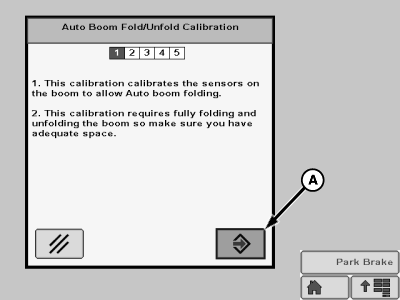
N102371-UN-12FEB13A - Enter Button
Follow instructions on the screen then press the Enter button (A). Use Auto or Manual mode to get every section completely unfolded when asked. (See Boom Folding—27.4, 30.5 and 36.6 m (90, 100 and 120 ft.) Booms in 27.4, 30.5 and 36.6 m (90, 100 and 120 ft.) Booms section of this manual for folding procedures.) -
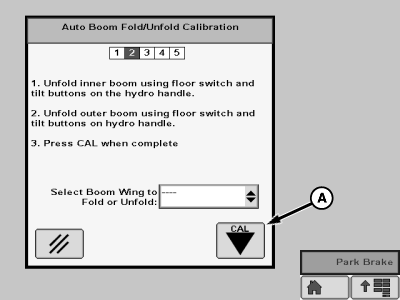
N102372-UN-12FEB13A - Cal Icon
Follow instructions on the screen then press the Cal icon (A). -
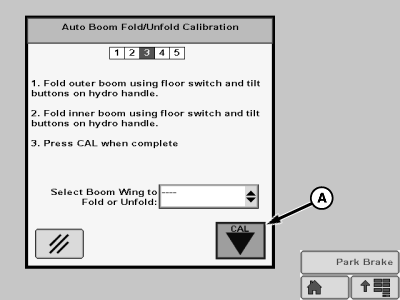
N102373-UN-12FEB13A - Cal Icon
Follow instructions on the screen then press the Cal icon (A). -
NOTE:
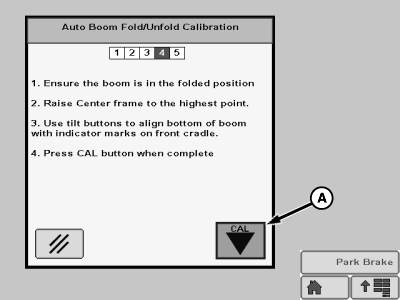
N102374-UN-12FEB13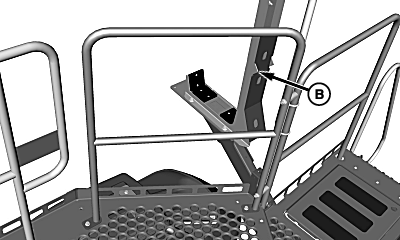
N103861-UN-30MAY13A - Cal Icon
B - Indicator Mark
Indicator mark (B) is located on front boom cradles.Follow instructions on the screen then press the Cal icon (A).
-
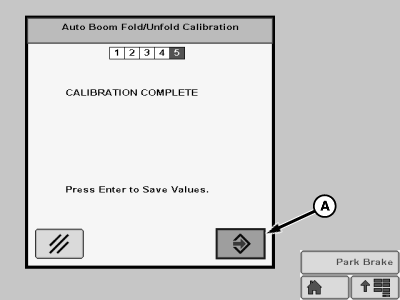
N102375-UN-12FEB13A - Enter Button
Press Enter button (A) to save values.
|
OUO6092,00009CA-19-20150610 |