Controller Diagnostics
-
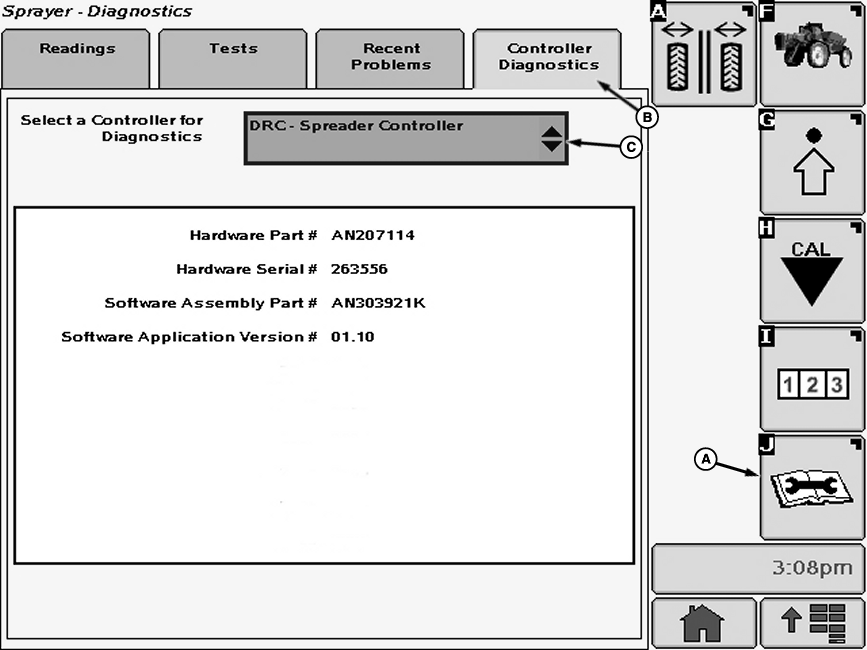
N78781-UN-09NOV07A - Diagnostics Softkey
B - Controller Diagnostics Tab
C - Drop-Down Box
Select the Diagnostics softkey (A) to view the sprayer diagnostics menu. -
Select the Controller Diagnostics tab (B).
-
Select drop-down box (C) next to “Select a Controller for Diagnostics” and select from controllers available.
-
The diagnostics provided are limited to the current controller and software part numbers, controller serial number and software application versions on the selected controller.
|
OUO6092,0001084-19-20071204 |