Operate Boom Section Switches
N93795-UN-17SEP12
N102010-UN-11FEB13
N74865-UN-19JAN07
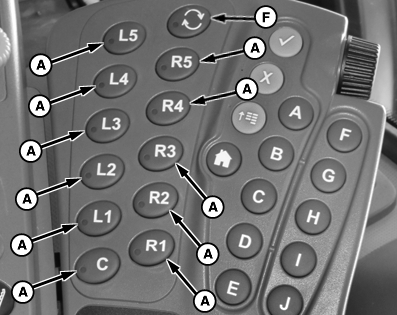
A - Boom Section Switch
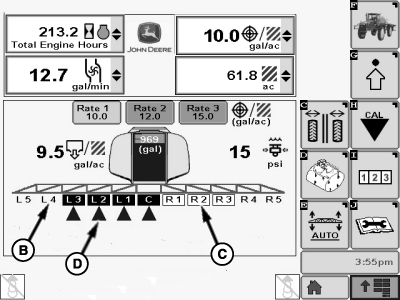
B - Section OFF
C - Section Enabled
D - Section Spraying
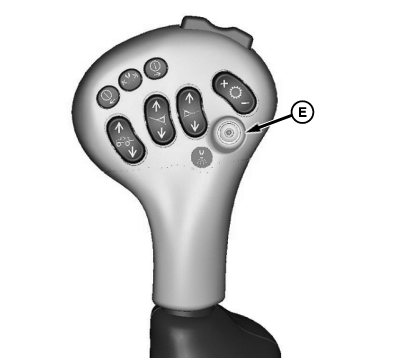
E - Master ON/OFF Switch
F - All Sections ON Switch
Push boom section switches (A) to enable corresponding boom sections. Disabled sections appear as black lettering with no box (B). Enabled sections appear as a white box with black lettering (C). Enabled sections that have been activated (are spraying currently) with master ON/OFF switch (E) show a cone beneath the section (D). All Sections ON Switch (F) can be used to enable all disabled sections.
NOTE: Boom sections numbered as 1 closest to center on designated side, and 5 being farthest to outside.
All boom sizes do NOT require 11 sections. Unused section switches will be capped.
|
RG53986,00012EC-19-20130611 |