Engage TruSet
-
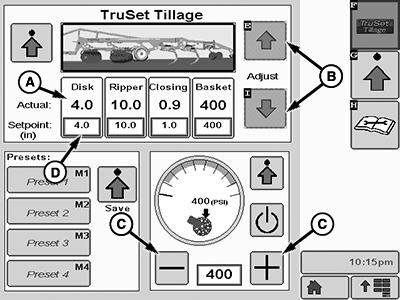
N121318-UN-06APR16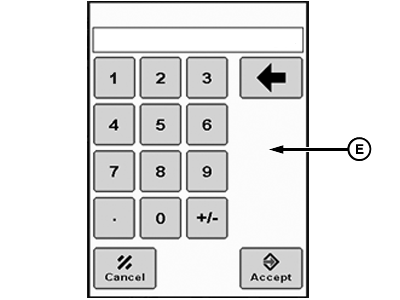
N117214-UN-05MAY15A - Operation Button
B - Arrow Softkeys
C - Rolling Basket Pressure Softkeys
D - Setpoint Field
E - Keypad
Detent Ripper SCV lever downward to put all sections into AUTO mode. -
NOTE: Incremental adjustment values can be set by user. (See Adjust Softkey Step Size in Preparing TruSet section.)
To make incremental adjustments, select operation button (A) and use arrow softkeys (B) to adjust.
-
Press selected operation button again to deselect before another operation can be selected.
-
Incremental adjustments to rolling basket pressure may also be made using softkeys (C).
-
Desired setpoint value can also be entered by selecting the setpoint field (D) for each operation and entering a value with the keypad (E).
|
KB78086,0000FAE-19-20160406 |