Transport Mode Screen
N107507-UN-06NOV13
Home Page Menu
N107508-UN-06NOV13
Transport Mode Screen
N88113-UN-12MAR10
Handler Position Caution Message
N109947-UN-30JAN14
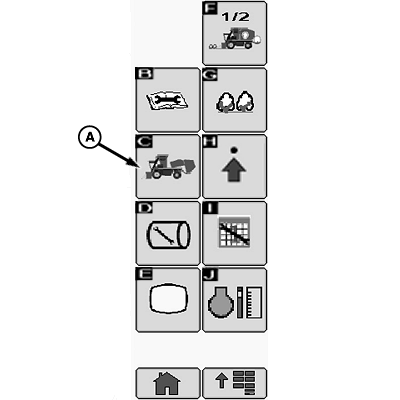
A - Transport Mode Button
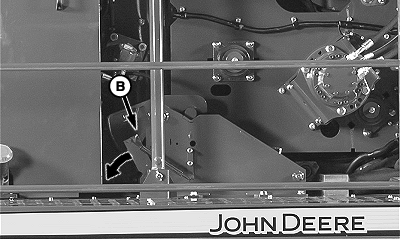
B - RMB Latch Lever
The transport mode is used to unfold the round module builder components when preparing to move the machine from field to field. When unfolded, the weight and height of components is located closer to ground level which provides greater stability.
Place machine in transport mode as follows:
-
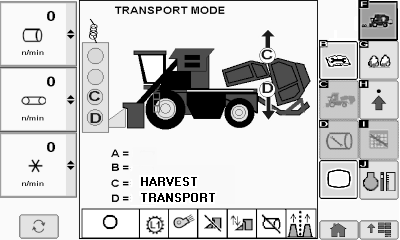
Select transport mode button (A) on home page menu. Transport mode screen appears on display.
-
Remove power module tether control from storage bracket on rear side of power module.
-
NOTE: RMB latch lever (B) must be released to allow module builder to unfold into transport configuration.
Press down on RMB latch lever (B) to release latch retaining RMB front shell. (See POSITIONING MACHINE FOR TRANSPORT in Operating the Machine section.)
-
Press button D on tether control to unfold machine into transport configuration.
-
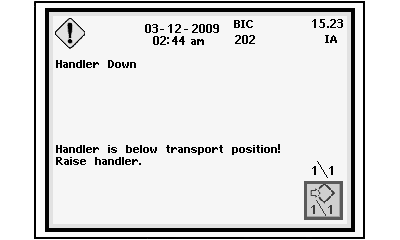
If handler is positioned too low for safe transport, a caution message screen appears on CommandCenter™.
-
If caution message appears, press top of handler raise-lower switch on multi-function lever to raise handler. Hold switch until message screen goes away. Handler raises to transport position and stops.
-
Press button C on tether control to fold machine into harvest configuration.
|
CommandCenter is a trademark of Deere & Company |
DP99999,00009D6-19-20141120 |