Set Application Rates
-
Select the Menu button.

BM011351-UN-29MAR17Menu Button → Sprayer Application Button → Setup Menu Softkey → Spray Setup Tab
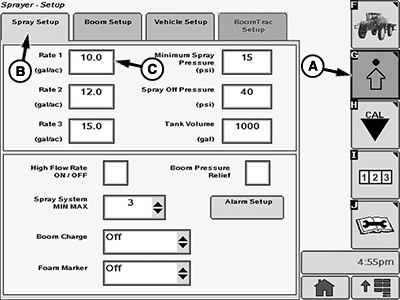
BM017146-UN-17NOV16Spray Setup Page
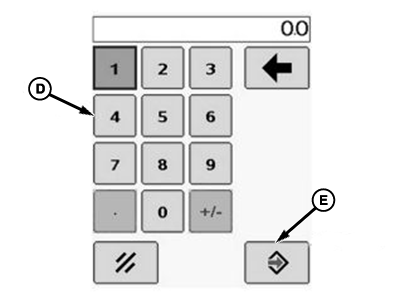
BM002466-UN-24SEP15Popup Keypad
A - Setup Menu Softkey
B - Spray Setup Tab
C - Input Box
D - Popup Keypad
E - Accept Button
-
Select the Sprayer Application button.
-
Select the Setup Menu softkey (A).
-
Select the Spray Setup tab (B).
-
Select each input box (C) to be changed and enter a new value using the popup keypad (D).
-
Select the Accept button (E) to accept the new value.
|
FC59002,0000002-19-20170403 |