Controller Diagnostics
Navigate to Controller Diagnostic Page
-
Select the Menu button.

BM011391-UN-05APR17Menu Button → Sprayer Application Button → Diagnostics Menu Softkey → Controller Diagnostics Tab
-
Select the Sprayer Application button.
-
Select the Diagnostics Menu softkey.
-
Select the Controller Diagnostics tab.
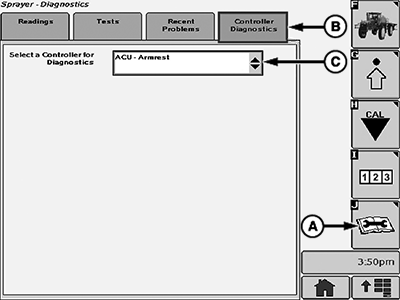
Controller Diagnostics Page
BM017170-UN-17NOV16
Controller Diagnostics Page
A - Diagnostics Menu Softkey
B - Controller Diagnostics Tab
C - Controller for Diagnostics
- Controller Diagnostics Tab (B): Shows the available control units available for diagnostics.
- Controller for Diagnostics (C): Allows the operator to select a specific control unit for diagnostics.
|
FC59002,000008F-19-20170405 |