Set Manual Pressure
The manual pressure setting allows the system to operate at a manually set pressure, independent of speed and application rate.
-
Select the Menu button.
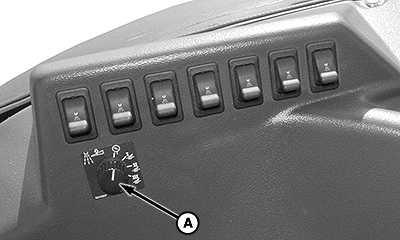
BM002495-UN-28SEP15Side Console

BM011353-UN-30MAR17Menu Button → Sprayer Application Button → Sprayer Main Softkey
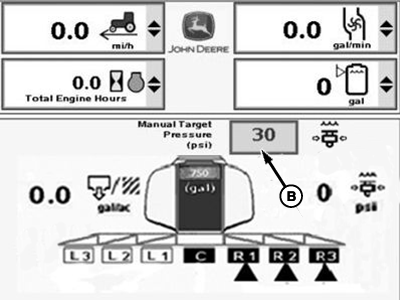
BM002493-UN-06JAN17Sprayer Main Page
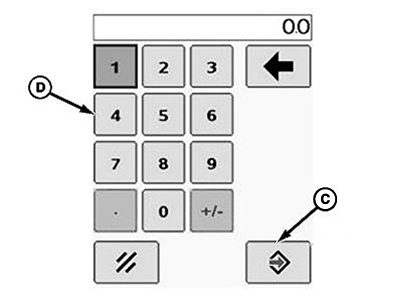
BM011354-UN-30MAR17Popup Keypad
A - Rate Select Switch
B - Input Box
C - Accept Button
D - Popup Keypad
-
Select the Sprayer Application button.
-
Select the Sprayer Main softkey.
-
Turn the rate select switch (A) to manual position (MAN).
-
Select the input box (B).
-
Enter a new value using the popup keypad (D).
-
Select the Accept button (C) to accept the new value.
|
FC59002,0000098-19-20170403 |