Reset Job Summary Counters
-
Select the Menu button.

BM011378-UN-03APR17Menu Button → Sprayer Application Button → Totals and Reports Softkey → Job Summaries Tab
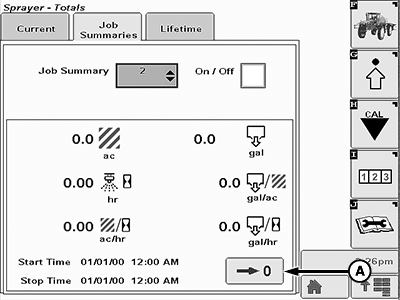
BM011390-UN-05APR17Job Summaries Page
A - Reset Button
-
Select the Sprayer Application button.
-
Select the Totals and Reports softkey.
-
Select the Job Summaries tab.
-
Select the job to be reset on the job summary drop-down list.
-
Select the Reset button (A).
|
LS87647,000064E-19-20170405 |