Data Entry Mode
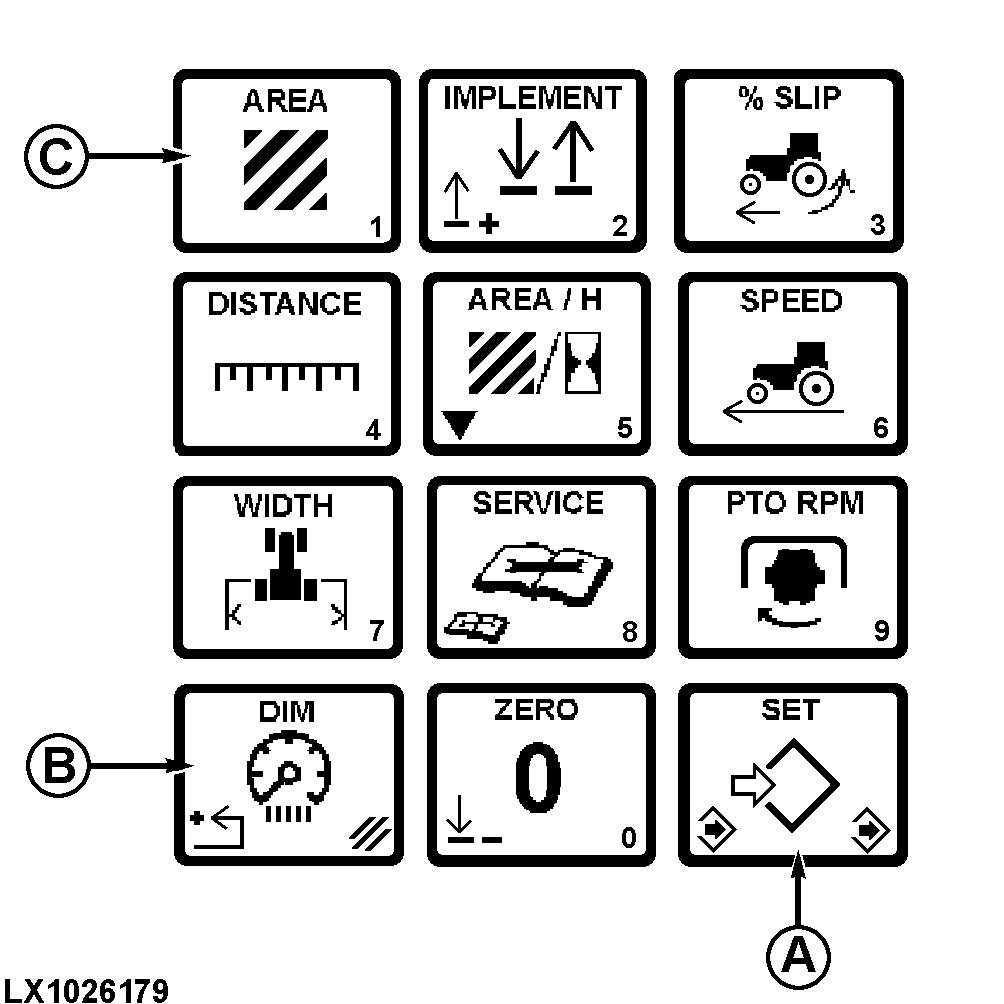
LX1026179-UN-29JAN02
A - Set/save
B - Cancel
C - Area switch
Press a switch from the touch pad, to preset or change values for:
AREA, % SLIP ALARM, DISTANCE, IMPLEMENT WIDTH, IMPLEMENT SELECTOR, TIME SINCE LAST SERVICE, SERVICE INTERVAL, BACKLIGHT BRIGHTNESS.
Press (A) to change the numeric value. Display field will flash.
Input a numeric value using touch pad, then press (A) to save.
Touch switches have a figure located on the lower right-hand portion of the switch for data entry.
Press (B) to restore previous value before pressing (A).
|
OU12401,00009B6-19-20020101 |