Operation and Calibration
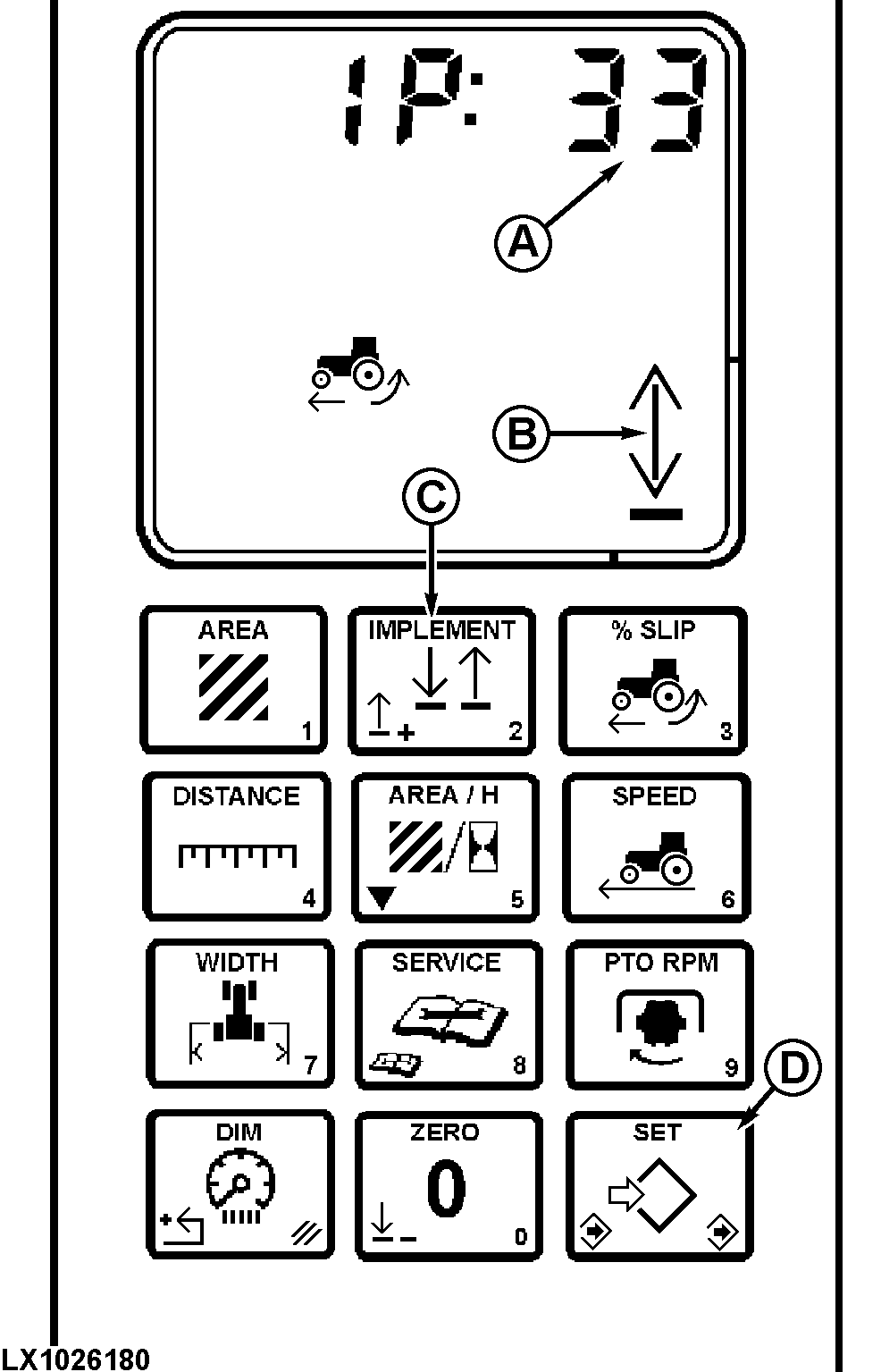
LX1026180-UN-29JAN02
A - Function code
B - Implement indicator
C - Implement switch
D - Set/save
IMPLEMENT (2)
Press the IMPLEMENT switch to change implement indicator (B) to the “up” or “down” position.
When the implement indicator arrow points down, all measurement functions are engaged.
Implement Selector Calibration
Procedure coordinates the position of the indicator arrow (B) to the position of the hitch or implement switch.
Hold IMPLEMENT switch four seconds to change the function code (A).
Display will show “IP:” and a function code (33, 40 or 255). This number indicates which device is in control of the implement arrow (B).
“33” rockshaft position sensor (raise limit setting).
“40” implement switch on touch pad.
“255” first downward movement automatically selects which external device will control the implement indicator arrow (implement switch or the hitch position sensor.)
It may be necessary to press implement switch (C) to change indicator arrow (B).
If the implement switch (C) does not control the indicator arrow, “40” has not been selected as a function code.
For applications which use the hitch sensor or implement switch exclusively, use “33” or “40”.
A “0” or any other number other than the above will completely shut off the “implement” function.
Press SET (D). Input 33, 40 or 255 using touch pad, then press SAVE (D).
|
OU12401,00009B8-19-20020101 |