Service (8)
LX1026183-UN-29JAN02
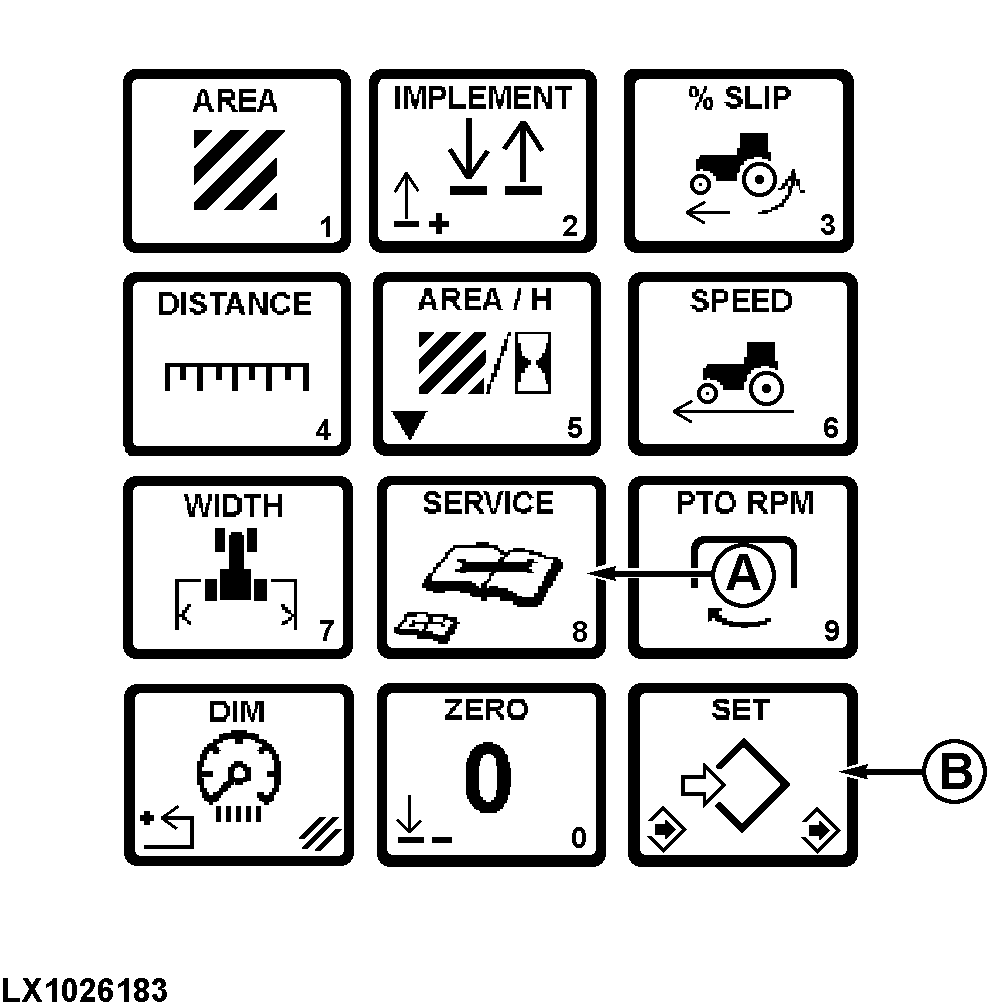
Press the SERVICE switch (A) to display hours accumulated since the last service.
The alarm symbol will flash and an acoustic signal will sound when the service interval is reached.
The service time is set at 250 hours.
Press (B) to change operating hours. Input the desired value (0.0—9999.9 hours) and press switch (B) to save.
Pressing any switch on the touch pad will shut off the alarm until the tractor is started again.
The alarm feature can be shut off by storing a “0” in the service interval data. The monitor will start counting hours beginning at zero.
Press switch (A) again to display programmed service intervals. An alarm symbol will be displayed.
Press (B) to change a service interval. Input desired service hours (0—999 hrs), and press (B) to save.
|
OU12401,00009BB-19-20020101 |