Using Display Mode Switch
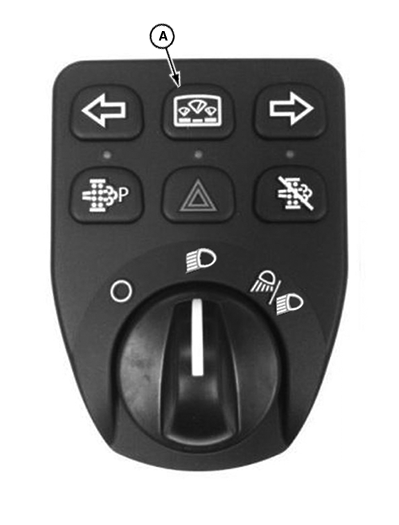
LV22250-UN-23JUN14
A - Display Mode Switch
The display mode switch (A) can be used to scroll through hour meter and active error codes display on all machines. The display information will automatically change as long as the display mode switch is pressed in the current cycle.
By intermittently pressing the display mode switch you can scroll through the functions in the following order.
- Engine hour meter
- Ground speed (R models only)
- Vehicle hour
- PTO hour
- Soot percentage
- Hour since last regeneration
Hold the display mode switch to return to engine hour meter.
|
KN52281,10048FD-19-20140623 |