Information Display and Display Mode Switch
Normal Operation
LV25014-UN-22APR16
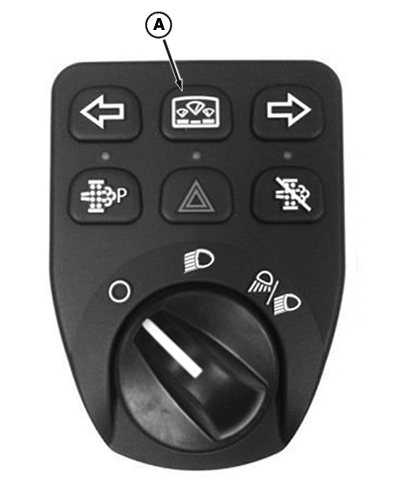
Left-Hand Switch Module
LV25660-UN-23JUN16
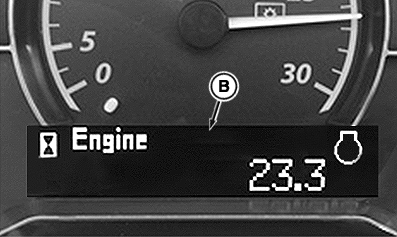
Engine Hours
A - Display Mode Switch
B - Information Display Screen
Press Display Mode Switch (A) to navigate through or select information in the Information Display (B).Information display screen (B) shows normal operational information in the following order:
Engine Hours ⇒ Vehicle Hours ⇒ PTO Hours ⇒ Soot Level ⇒ Hours since last Regeneration
Machine damage will occur if a machine operation continues after STOP indicator is displayed. Shut off engine immediately and call your John Deere dealer for assistance before machine operation continues.
Stop, service alert, information messages, and diagnostics are also provided on the information display screen. This information will override normal operation. Press display mode switch (A) to acknowledge this information and return to the normal operational information.
For additional information on codes, icon descriptions, messaging, and diagnostics, see the On Board Diagnostic Display section.
Programming Mode (If equipped)
Programming of the machine and can be performed with the display mode switch.
LV28765-UN-19DEC17
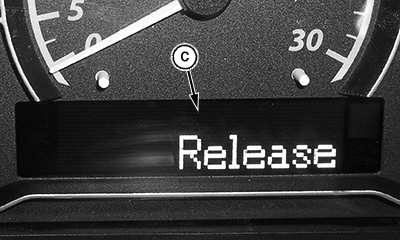
Release Message
C - Release Message
To enter programming mode, press and hold the Display Mode Switch until Release (C) appears on the display screen.
Programming mode shows programmable feature screens in the following order:
Dimmer Mode ⇒ LCD Backlight Mode ⇒ LCD Contrast Mode
For more information on Instrument Cluster Display dimming, LCD Backlight and contrast settings, see Electrical and Lighting Operation section.
|
WS68074,00016C0-19-20171220 |