Adjusting Seat (Special Edition)
Adjusting Seat Position
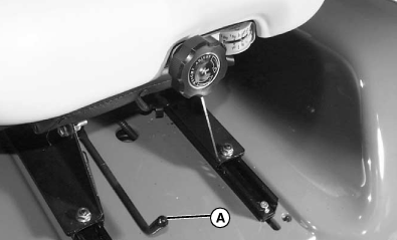
MXAL42660-UN-22MAR13
-
Move seat adjustment lever (A) to the left.
-
Slide seat forward or backward to desired position.
-
Release lever.
-
Place the seat in the locked position.
Adjusting Seat Suspension
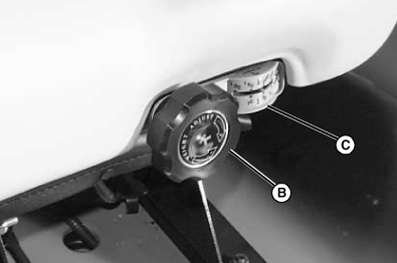
MXAL42661-UN-22MAR13
Turn knob (B) to desired position per operator weight on gauge (C).
Adjusting Seat Back
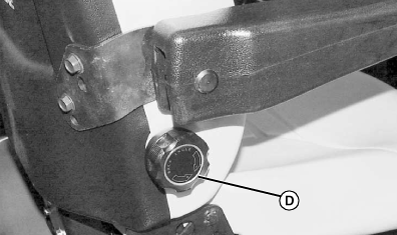
MXAL42662-UN-22MAR13
The seat back adjustment knob is located on the right side of seat.
- Bring the seat back to a vertical position by turning the knob (D) to the right (clockwise).
- Turn the knob (D) to the left (counterclockwise) to recline the seat back slightly.
Adjusting Lumbar Support
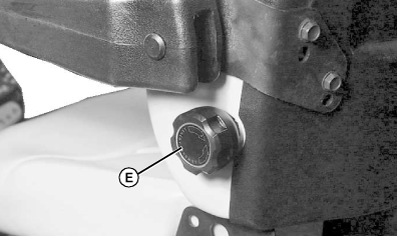
MXAL42663-UN-22MAR13
The lumbar support knob is located on the left side of the seat.
- Turn the lumbar support knob to the left (counterclockwise) to decrease lumbar support.
- Turn the lumbar support knob (E) to the right (clockwise) to increase lumbar support.
Adjusting Armrest
NOTE: If a John Deere Ultimate / X-Series certified cab ROPS is installed, before installing seat to machine you must raise armrest by using lower holes on adjustment bracket as shown below.
-
To raise or lower armrest both sides:
-
Remove two bolts (F) and raise armrest and bracket (G) to the other set of holes.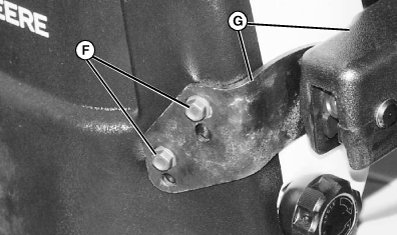
MXAL42664-UN-22MAR13 - Install bolts and tighten.
-
-
To change the angle of the armrest both sides:
-
Lift armrest to reveal knob (H).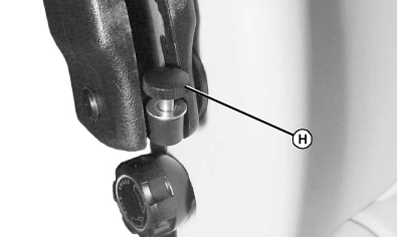
MXAL42665-UN-22MAR13 - Turn knob (H) to raise or lower knob height and change the angle of the armrest.
-
|
OUO2004,00002AF-19-20130715 |