Charging the Batteries
 Avoid injury! Help reduce the risk of a fire, electrical
shock or an explosion:
Avoid injury! Help reduce the risk of a fire, electrical
shock or an explosion:
- Each charger should have its own (15 ampere maximum) branch circuit protection in accordance with National Electrical Code, ANSI/NFPA and local codes and ordinances.
- Make sure cords, plugs, and receptacles are in good condition. DO NOT use if cords, plug, or receptacles are damaged, loose, or feel hotter than normal. Replace worn or damaged parts immediately.
- DO NOT use charger near flammable materials or vapors such as fuels, grain dust or solvents.
- DO NOT use extension cords.
- Explosive mixtures of hydrogen gas are present within battery cells. DO NOT service or charge vehicle batteries in an area where open flames, sparks, cigarettes, or any other source of combustion are present.
- Use this charger only on 48 volt, 24 cell wet lead acid systems of 140 to 270 amp hours (20 hour rate).
- DO NOT use a charger other than the type supplied with this vehicle.
- DO NOT touch portions of output connector or battery terminals that are not properly insulated.
- Connect only to properly grounded three wire outlets.
- DO NOT insert objects into charger housing ventilation slots.
- Charger and power cords must be kept dry and not exposed to any form of moisture.
-
Lock the park brake.
-
Avoid injury! When the service/drive switch is moved
to the SERVICE position there is still electric battery voltage present
in all vehicle electrical harnesses.
Move the service/drive switch (A) to the SERVICE position.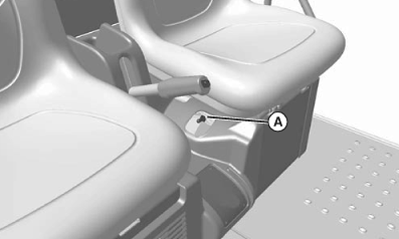
MXAL47796-UN-12APR13 -
Avoid damage! Check to be sure that the power receptacle is clean and dry before connecting the power cable.
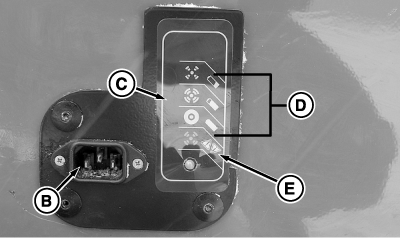
MXT009555-UN-10DEC13B - AC Power Receptacle
C - Charge Plate Gauge
D - Charge Level Indicators (Green)
E - Fault Indicator (Red)
Connect the input power cable to the AC power receptacle (B) on the charge plate on the left side of the machine. -
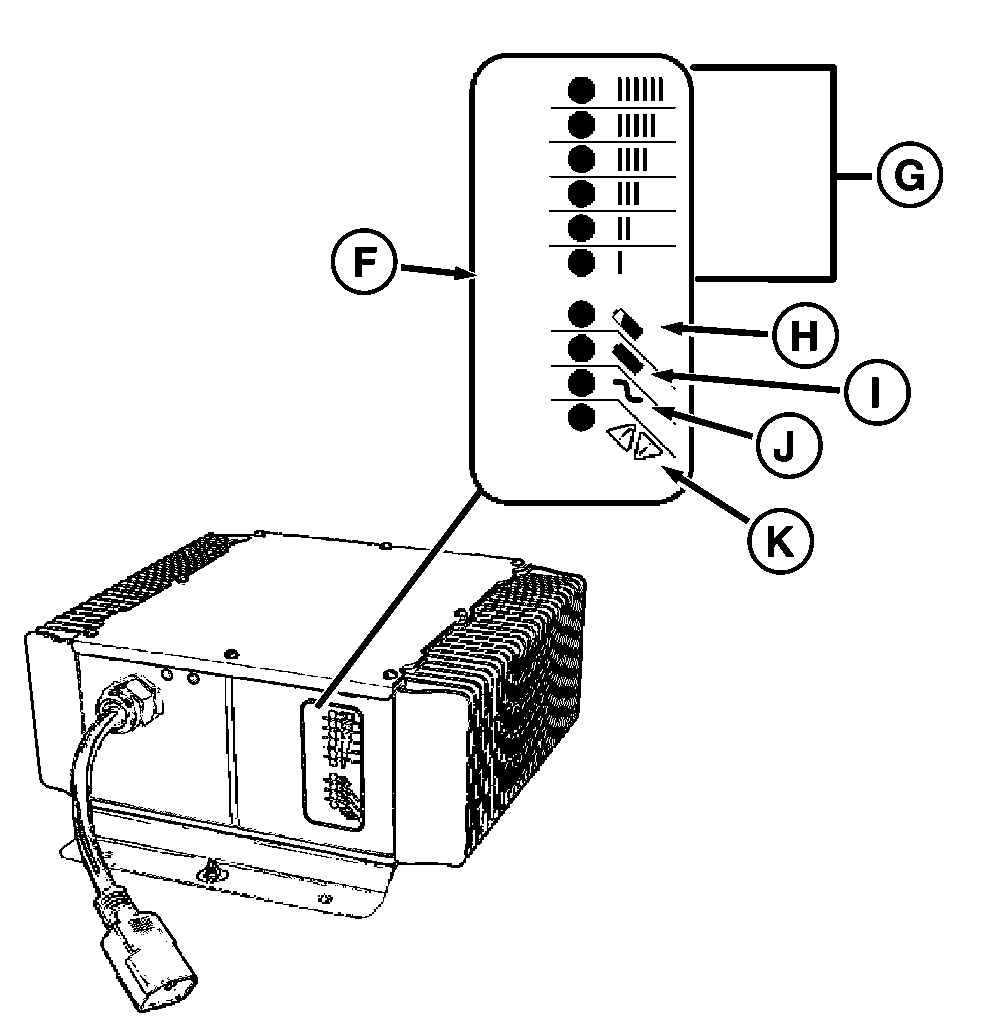
MXT009556-UN-07DEC13F - Battery Charger Gauge
Check the gauge (C) on the charge plate or the gauge (F) on the battery charger to determine charge condition. (See Using the Battery Charger for further explanations):
|
G - Ammeter Charge Display (amber color display) |
|
H - 80% Charge (amber color display) |
|
I - 100% Charge (green color display) |
|
J - AC On (amber color display) |
|
K - Fault (red color display) |
|
OUMX068,000045C-19-20131210 |