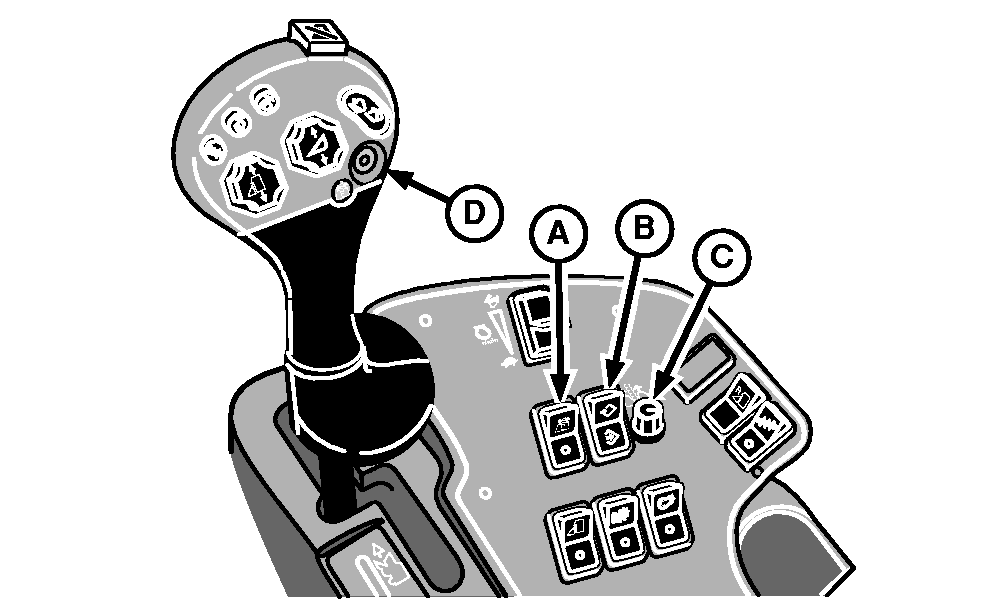
ROW-TRAK System Switches and Engage Button (If Equipped)Press top of ROW-TRAK On/Off switch (A) to turn ROW-TRAK system on. Press bottom of switch to turn system off. ROW-TRAK Cal/Learn switch (B) activates the calibration or learn modes of the system. Rotate ROW-TRAK offset adjust knob (C) when adjusting the system for straight or curved rows. Press ROW-TRAK engage button (D) to activate ROW-TRAK system steering control. (See ROW-TRAK Guidance System section for details.) |
|
OUO6043,000155D -19-27NOV02-1/1 |