Clearing 50 Hour Service CodeWhen service is complete, use following steps to clear service interval display message and reset counter to zero. |
OUO6043,00015AC -19-18DEC02-1/2 |
|
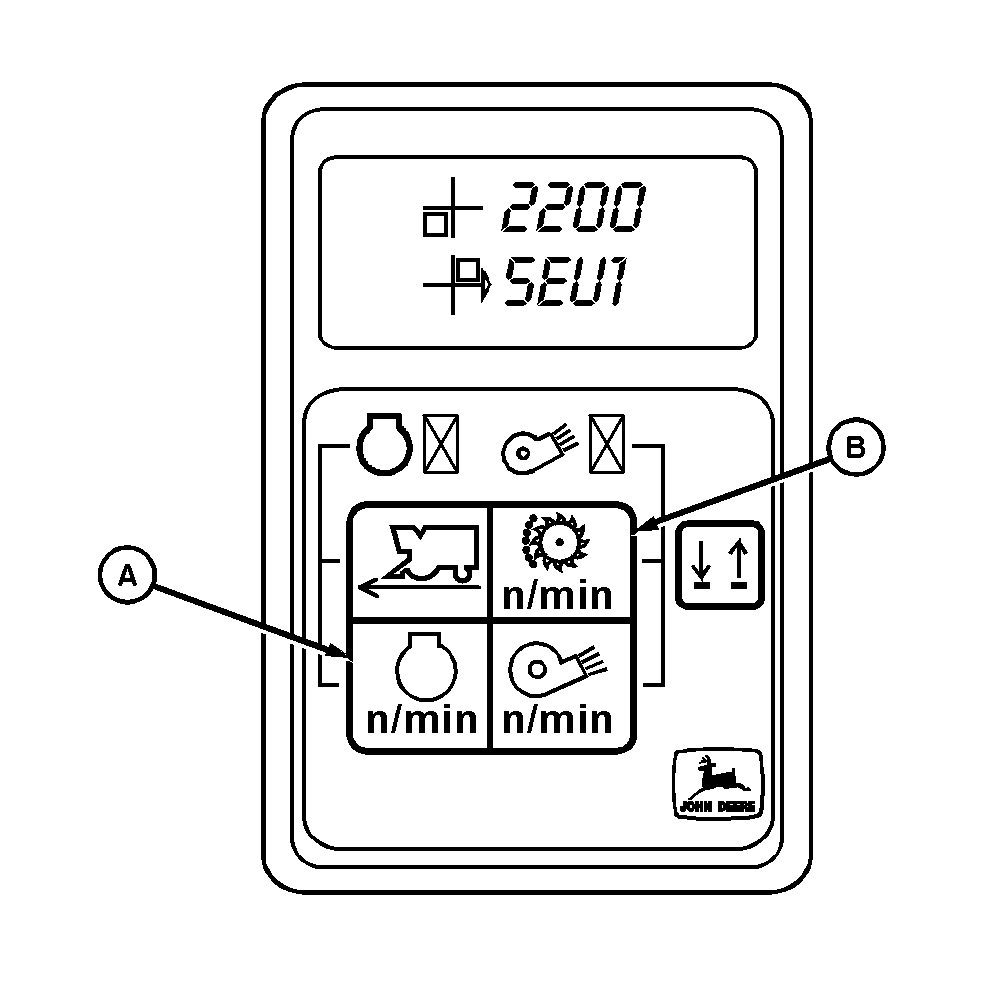
NOTE: If service cannot be performed at this time, digital tachometer can be returned to normal operation by pressing one of the function select buttons. However, message will re-appear each time engine is started until service procedure is completed and tachometer is reset. 1. Turn key off.2. Press engine rpm button (A) and cleaner saw drum speed button (B) function select buttons simultaneously. 3. While holding two buttons down, turn key switch on. IMPORTANT: Improper lubrication can cause machine damage. Check appropriate lubrication and maintenance procedures for 100, 200 and other multiple 50 hour service intervals in Lubrication and Maintenance Section. 4. Release switches. Tachometer service hour counter is now reset. |
|
OUO6043,00015AC -19-18DEC02-2/2 |