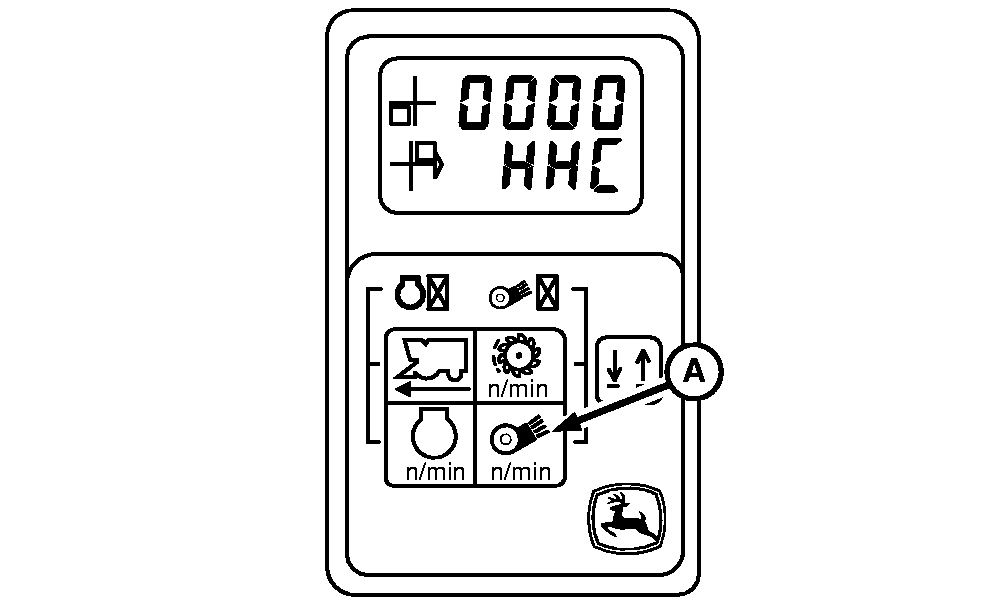
Header Height Control-Header CalibrationHeader calibration procedure must be performed anytime the system calibration procedure is performed or if any header height control component outside the cab is replaced or linkage is adjusted. During the following calibration procedure you will be prompted to press fan speed switch (A) to store a calibration value or proceed to the next screen. If the switch is pressed for too long or accidentally pressed twice causing you to "skip" a screen, you must shut off key switch and start the calibration procedure again. |
|
OUO6043,00016E7 -19-10APR03-1/9 |
|
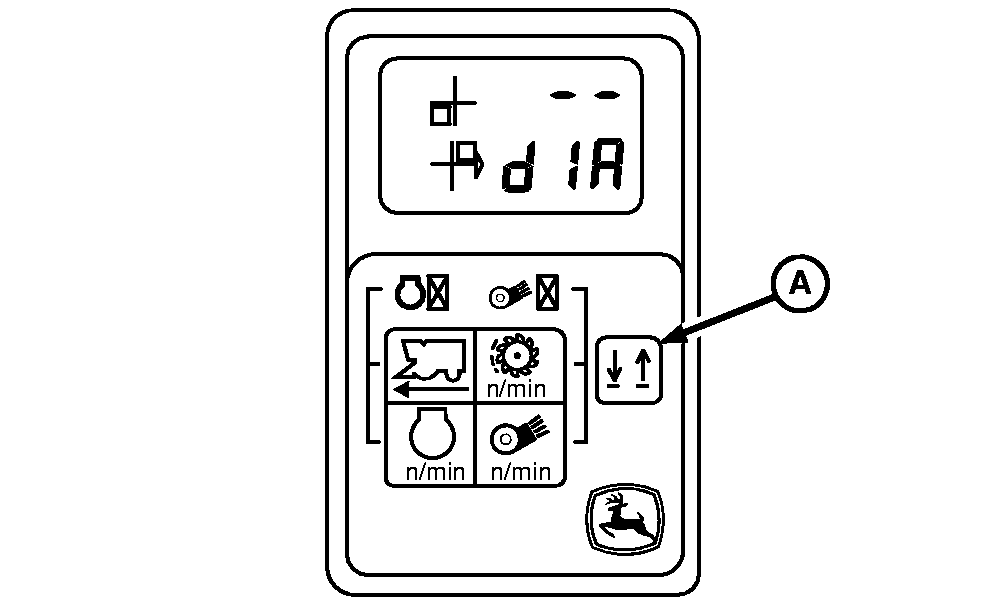
1. Park machine on a flat level concrete surface. Engage parking brake and turn off engine. Turn off all accessories and verify row units start/stop, cleaner start/stop and fan ON/OFF switches are all disengaged. 2. Press and hold up/down switch (A) on tachometer while turning on key and starting engine. 3. Release up/down switch. 4. Tachometer will now be in diagnostic mode as shown. |
|
 CAUTION:
If you or others become entangled in a unit, serious injury or death can result. Be sure units are disengaged. Keep away from areas which might pinch or crush as units move up and down.
CAUTION:
If you or others become entangled in a unit, serious injury or death can result. Be sure units are disengaged. Keep away from areas which might pinch or crush as units move up and down.
OUO6043,00016E7 -19-10APR03-2/9 |
|
5.
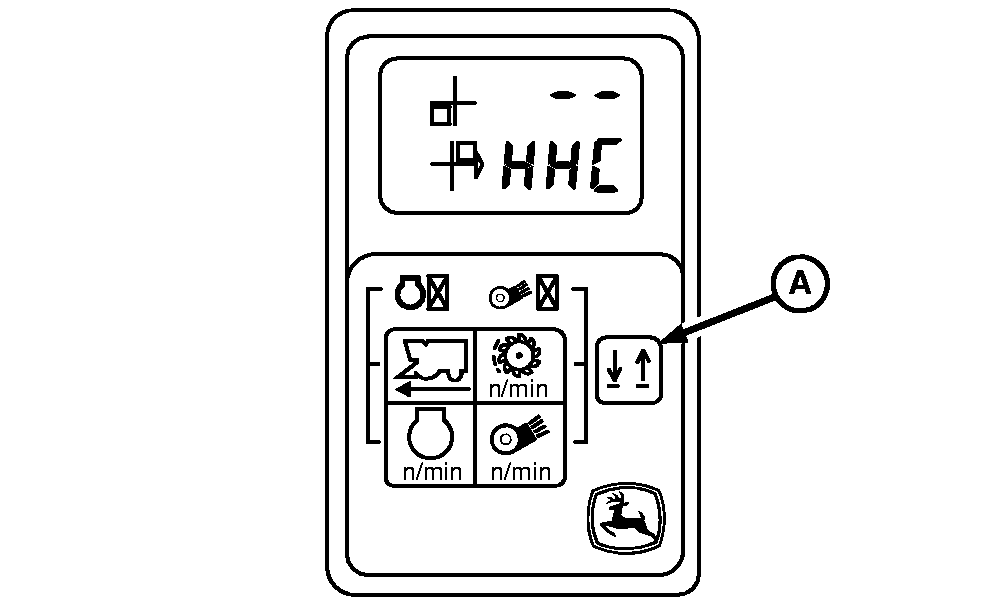
Press and release up/down switch (A) once. Tachometer will now display as shown.
|
|
OUO6043,00016E7 -19-10APR03-3/9 |
|
6.
Press and release fan speed switch (A) once. Tachometer will now be in header height control diagnostic mode as shown.
|
|
OUO6043,00016E7 -19-10APR03-4/9 |
|
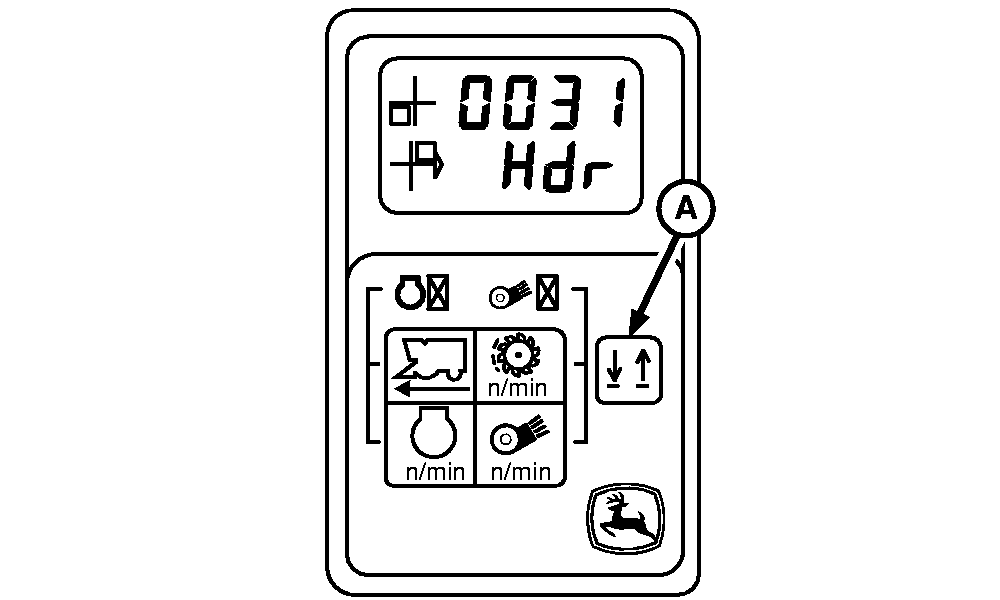
NOTE: Hdr = Header If you toggle past 0031 you cannot toggle back. You must toggle forward until 0031 is reached again. 7. Press and release up/down switch (A) until tachometer displays as shown.
|
|
OUO6043,00016E7 -19-10APR03-5/9 |
|
8.
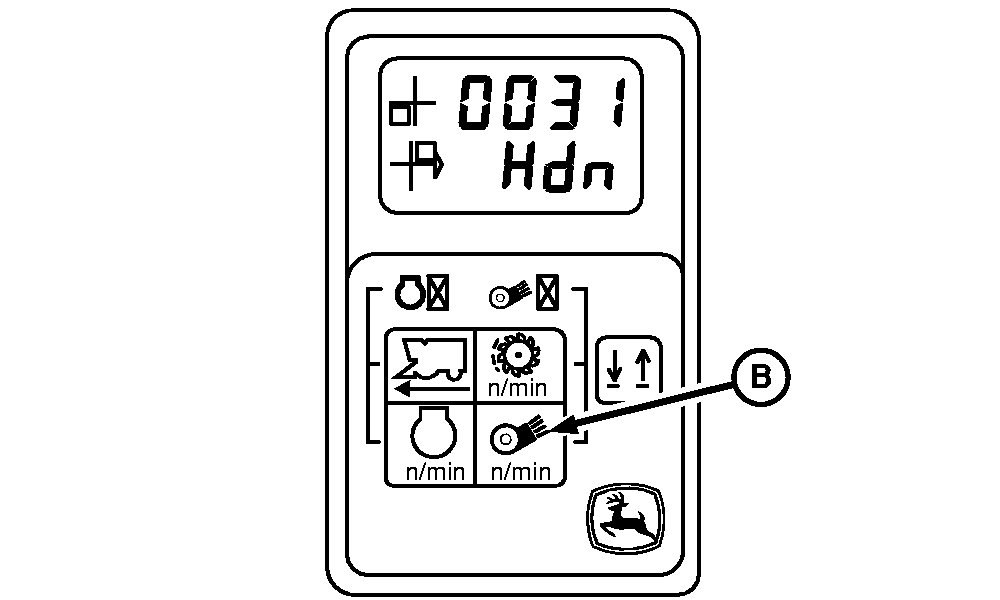
Press fan speed switch (B) to display as shown.
NOTE: Hdn = Header Down
|
|
OUO6043,00016E7 -19-10APR03-6/9 |
|
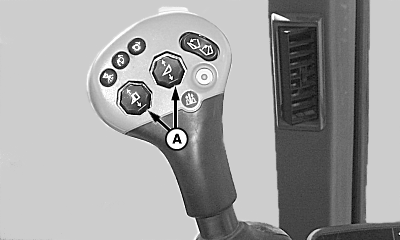
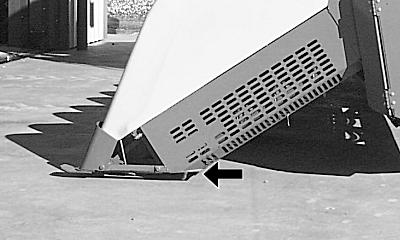
NOTE: If height sensing shoes are not flush with bottom of crop gatherer, the system may not calibrate or performance may be reduced. 9. Using raise lower switches (A) on hydro handle, lower and adjust ALL row units so that the bottom of ALL row units are parallel to the ground (as shown in bottom photo with arrow) and that the base of each unit is just touching the ground.
|
|
OUO6043,00016E7 -19-10APR03-7/9 |
|
10.
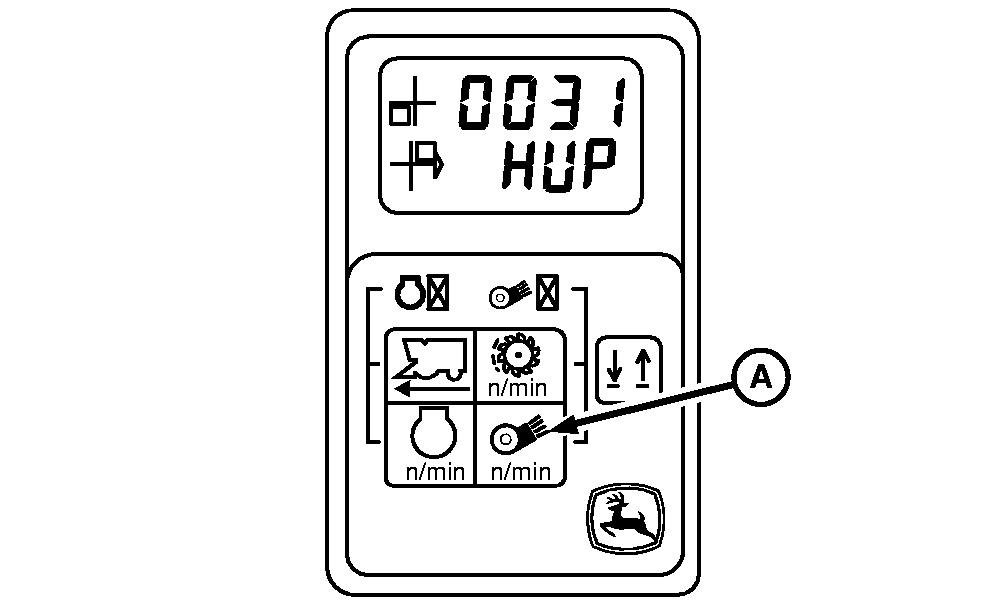
Press fan speed switch (A) to record minimum voltage of height sensors.
11. Tachometer should now display as shown. NOTE: Hup = Header Up NOTE: It is important to the calibration procedure that no height sensing shoes are contacting concrete when performing the following step. Exit machine and verify that ALL height sensing shoes pivot properly and are not contacting concrete. 12. Raise row units until all height sensing shoes are fully down and not contacting concrete. 13. Press fan speed switch (A) again to record maximum voltage of height sensors. |
|
OUO6043,00016E7 -19-10APR03-8/9 |
|
14.
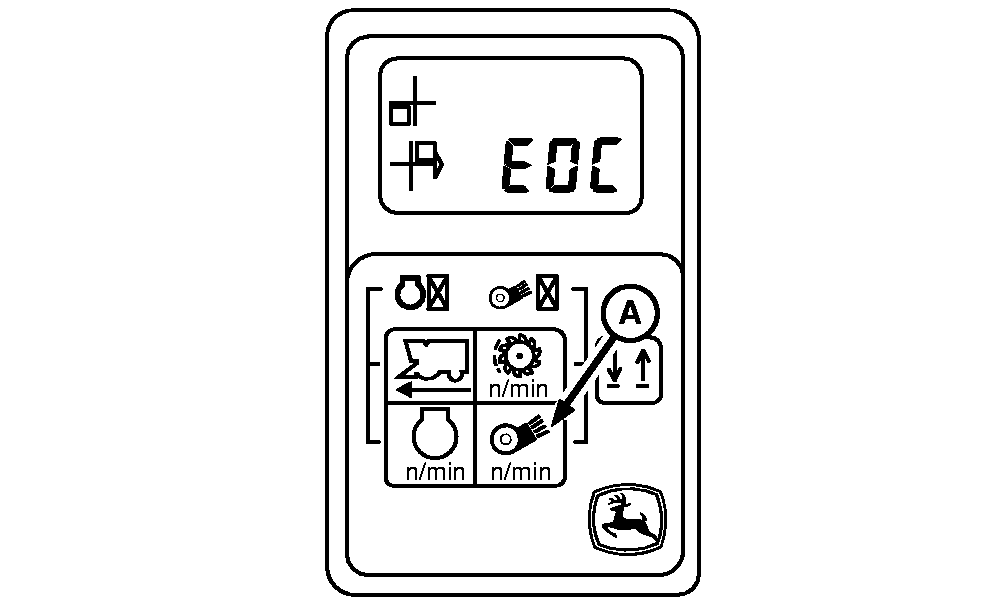
Tachometer should now display as shown.
15. Press fan speed switch (A) to store height sensor calibration values. If no errors occurred during calibration procedure, the following will scroll on the display; EOC, E00, and End. NOTE: E0C = End Of Check E00 = No Errors If an error occurred during calibration procedure, the following will scroll on the display; EOC, Err and End. Repeat calibration procedure if this occurs. 16. Turn off machine and restart to return header height control system to normal operation mode. |
|
OUO6043,00016E7 -19-10APR03-9/9 |