Preparing to Operate in Field1. Make sure tractor and machine are properly prepared. (See Preparing Tractor and Preparing Machine sections.) Attach machine to tractor following procedures in ATTACHING AND DETACHING section. |
AG,OUO1011,2686 -19-29MAR00-1/5 |
|
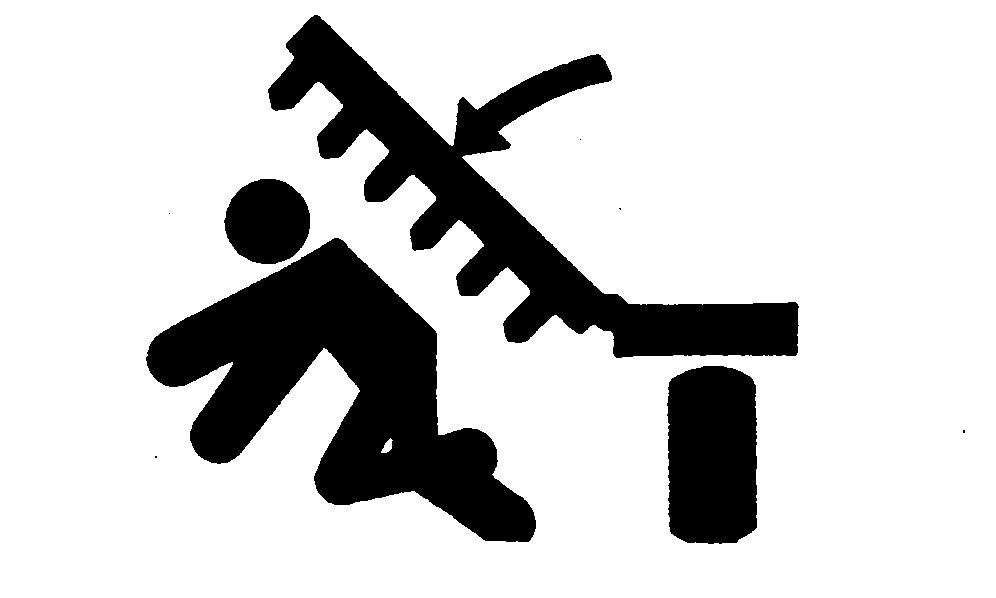
Before operating, make sure air has been bled from wing-fold hydraulic system Keep all persons away from machine when raising and lowering wings. Always locate machine on level ground when raising and lowering wings. Never raise or lower wings when moving. 2. Place tractor transmission in "Park" and/or set brakes and start engine. |
|
 CAUTION:
To help prevent severe injury or death to you or someone else:
CAUTION:
To help prevent severe injury or death to you or someone else:
AG,OUO1011,2686 -19-29MAR00-2/5 |
|
3.
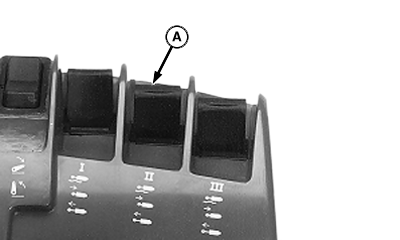
With machine on level ground and wing area clear of bystanders, push SCV II lever (A) forward to lower wings (if equipped) and fully extend cylinders.
4. Return control lever to "neutral" for field operations.
|
|
AG,OUO1011,2686 -19-29MAR00-3/5 |
|
5.
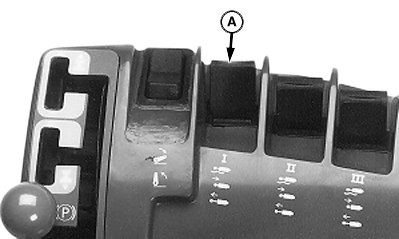
Operate machine over a test distance while pushing depth control lever (A) forward.
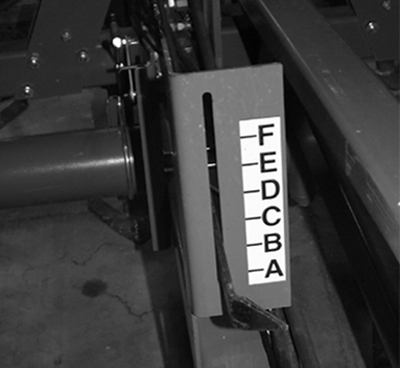
6. Stop machine and check depth at sweeps. 7. When desired depth is measured at sweeps, set depth control so it returns machine to this depth. Note depth indicator position for this depth. Indicator shows relative depth and should not be used for depth setting. Measure sweep depth to set depth control. John Deere 8000/9000 and 8020/9020 Series Tractors WITH TOUCHSET DEPTH CONTROL: Select SCV I on monitor panel and push lower set button. See ADJUSTING OR OPERATING TOUCHSET DEPTH CONTROL ON JOHN DEERE 8000/ 9000 and 8020/9020 SERIES TRACTORS. WITH SINGLE POINT DEPTH CONTROL: Place transmission in "Park" and/or set brakes and turn tractor off. Set single point depth control using crank at front of machine. (See SETTING SINGLE POINT DEPTH CONTROL.) 8. Operate machine at normal speed and raise and lower machine to confirm depth setting. WITH SINGLE POINT: Pull SCV No. 1 control lever rearward to raise machine; and then push forward to lower machine and confirm depth setting. John Deere 8000/9000 and 8020/9020 Series Tractors WITH TOUCHSET DEPTH CONTROL: Use SCV I lever to raise and lower machine. SCV I control needs to be moved to detent position to position machine at preset limits. Upper and lower set buttons on touch control panel are used to set depth and raise limit. Adjust raise and lower limit as desired. |
|
AG,OUO1011,2686 -19-29MAR00-4/5 |
|
IMPORTANT: Be sure to rephase depth control cylinders periodically. Rephase cylinders by holding depth control lever for a few seconds after machine has been fully raised. Release control and allow at least three seconds for cylinders to settle past rephasing grooves before lowering machine to operating depth. |
AG,OUO1011,2686 -19-29MAR00-5/5 |