Setting Minimum PressureThe Spray Rate Controller (SRC) will attain the minimum pressure when the master spray is ON and in auto mode. This pressure setting needs to be higher than the nozzle check valve pressure to keep all the check valves open, but not too high to prevent over application during normal speed adjustments in the field. If the pressure setting is too low, the SPRAYSTAR may have erratic application rates. |
OUO6092,00005EF -19-13APR04-1/3 |
|
NOTE: Viscosity of carrier may affect minimum pressure required. Perform procedure for carrier being applied. This procedure should also be reviewed whenever changing nozzle sizes, types, and or when nozzle check valves have been replaced. Determine and set the minimum pressure required using the following procedures: 1. Unfold booms.2. Turn all boom spray section switches on. 3. Press "SETUP". 4. Press letter button next to "SprayStar" 5. Press letter button next to "Min Spray Press. (psi)". 6. Enter 0. Press letter button next to "Min Spray Press. (psi)" to save rate. 7. Turn rate control switch to manual pressure setting "MAN". 8. Press "RUN". 9. Press letter button next to "Manual Target Pressure (psi), then enter the "0" as the desired manual pressure setting. 10. Press letter button next to "Manual Target Pressure (psi)" to save this value. 11. Turn on solution pump and master spray switch. 12. Increase "MANUAL TARGET PRESSURE" by 6.9 kPa (.07 bar) (1 psi) increments until all nozzle body check valves open and all nozzles are spraying at full pattern. Note pressure when this occurs. 13. Press "SETUP". 14. Press letter button next to "SprayStar" 15. Press letter button next to "Min Spray Press. (psi)". |
|
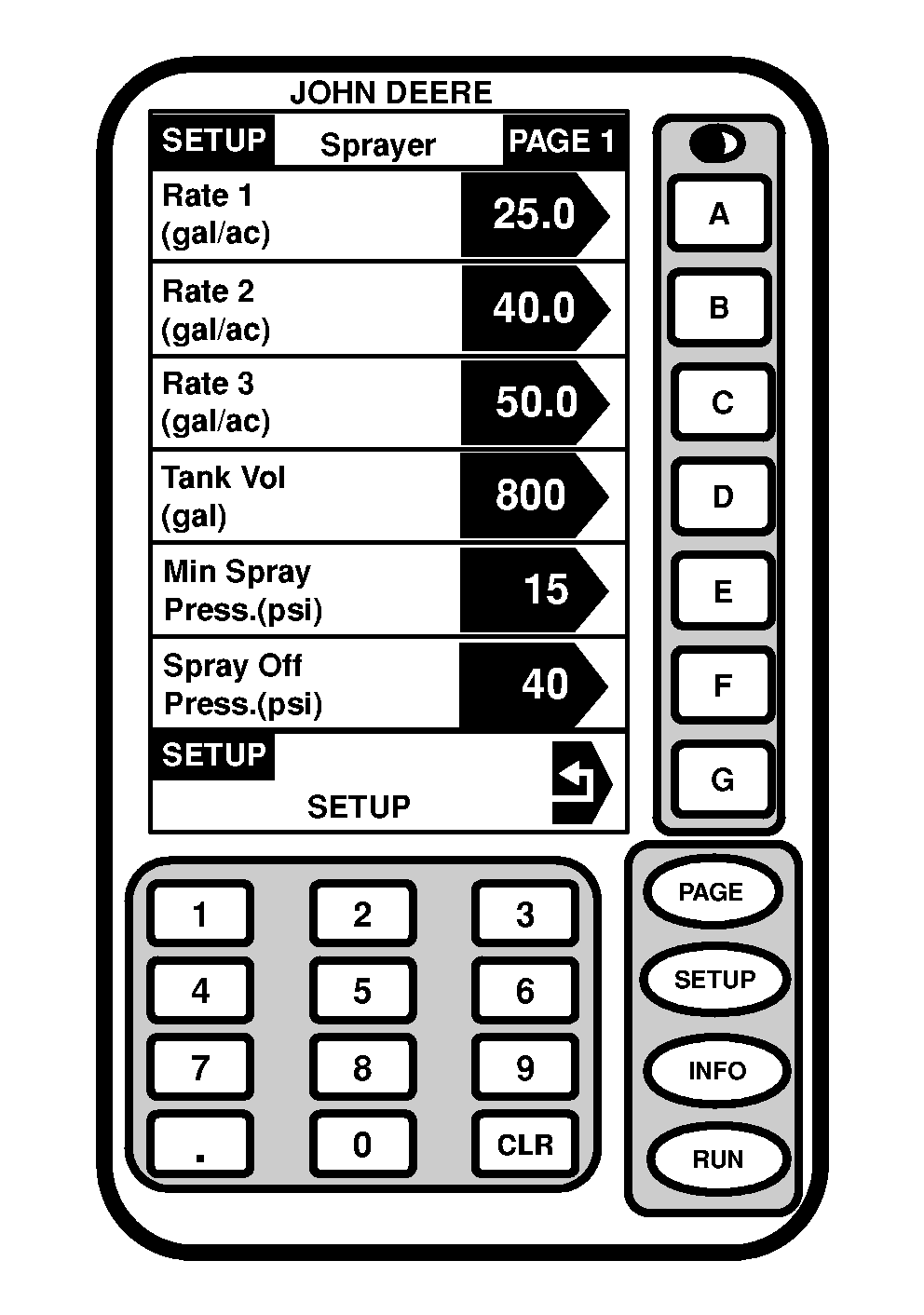
OUO6092,00005EF -19-13APR04-2/3 |
|
16.
Enter value equal to or above pressure value noted in step 12. Press letter button next to "Min Spray Press. (psi)" to save rate.
Applying At Low Pressures
When spraying at low application pressures, use check valves with lower pressure settings for optimum performance. Using nozzle bodies with higher pressure check valves than the lowest targeted application pressure when driving slow can cause nozzles to shut off and therefore cause erratic application rates. Nozzle Body Check ValvesNozzle body check valve pressure setting should be selected according to targeted pressure application. Generally, when spraying at a higher target pressure, a higher nozzle body check valve pressure should be used. The boom will shut off quicker with higher check valve pressure settings. Standard Factory EquipmentThe boom specification has 12 psi. check valves as standard equipment. Other check valves available through SPRAY MASTER ™ parts include 3, 10, and 25 psi settings. These pressures determine at what pressure nozzles shut off . Check valve assembly (cap and spring) part numbers:
Diaphragms:
|
|
SPRAY MASTER is a trademark of Deere & Company | OUO6092,00005EF -19-13APR04-3/3 |