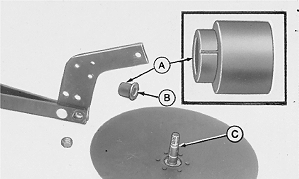
Replace Single DiskRemove the nut, then slide the disk and spacer (A) out of the drawbar. NOTE: Take notice of the flat surfaces in the drawbar, spacer, and bolt; also note the bevel on the end of the spacer that makes contact with the drawbar. IMPORTANT: Refer to Operating The Machine section for proper opener adjustment. Because of the flat surfaces, a disk MUST BE installed correctly. Install it with the wide part of the spacer (A) down (or the flat inner surface on top). The cap screw (C) will curve up. When assembling, fill the seal (B) with John Deere multipurpose grease. |
|
AG,OUO6074,1019 -19-09MAY00-1/2 |
|
1.
Install the new disk, spacer, and seal on the drawbar. Tighten the nut to specification.
Specification
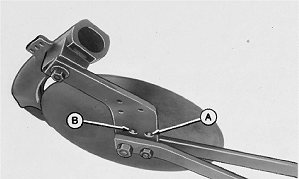
2. Attach pressure rod to boot support in correct hole. See Operating The Machine section.
|
|
AG,OUO6074,1019 -19-09MAY00-2/2 |