Programming Tachometer

NOTE: Tachometer is programmed at the factory.

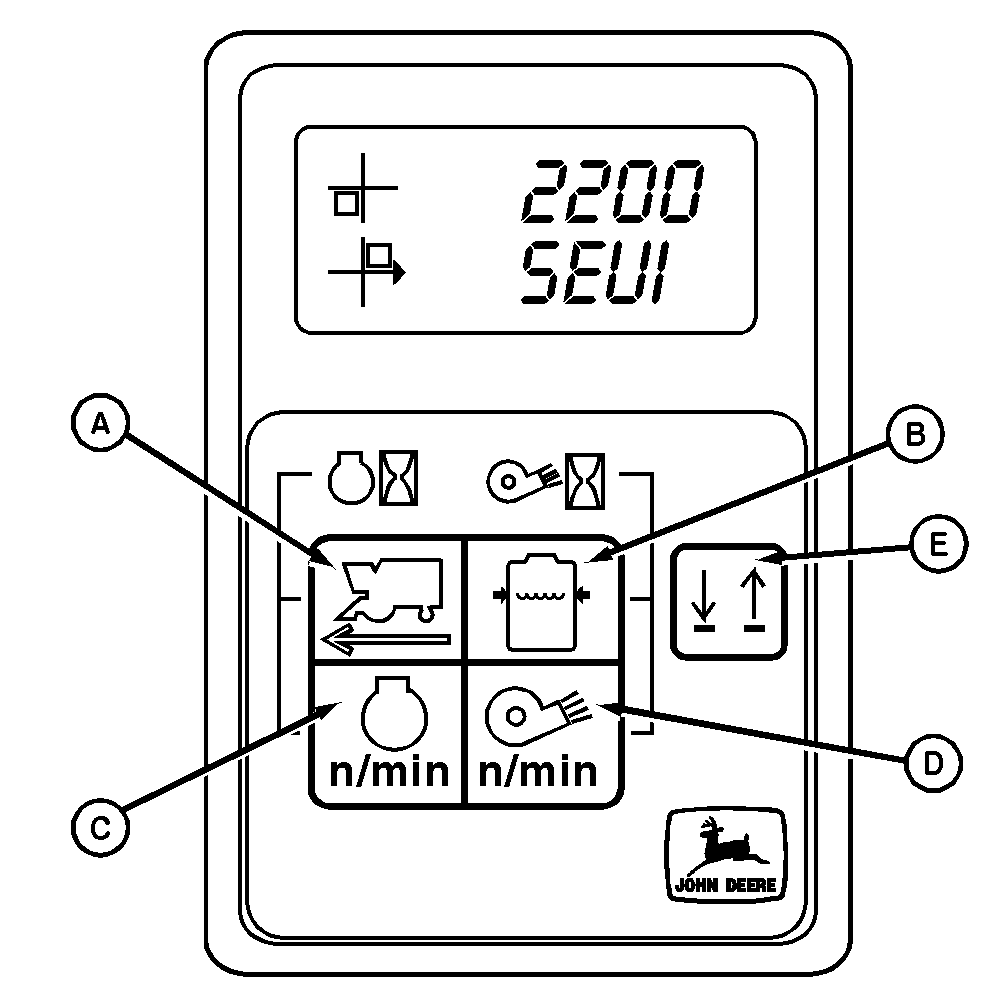
1. Press ground speed switch (A) and solution pressure switch (B) simultaneously while turning key to ON position, then release switches. Tachometer will display a code indicating design level of tachometer while initializing.

2. Wait until the tachometer displays a three digit number with indicator square on left-hand side in upper left corner. Number displayed can be changed and stored by:

  • Pressing ground speed switch (A) to raise displayed value.
  • Pressing engine rpm switch (C) to lower displayed value.
  • Pressing solution pressure switch (B) and fan speed switch (D) at same time to store displayed value.

    NOTE: Line Select button (E) switches active line between top and bottom line in the digital display. Active line is designated by an arrow head that will appear on left-hand of digital display.

N42186IB


A-Ground Speed Switch
B-Solution Pressure Switch
C-Engine RPM Switch
D-Fan Speed Switch
E-Line Select Switch

OUO6043,0001410 -19-04JUN01-1/2


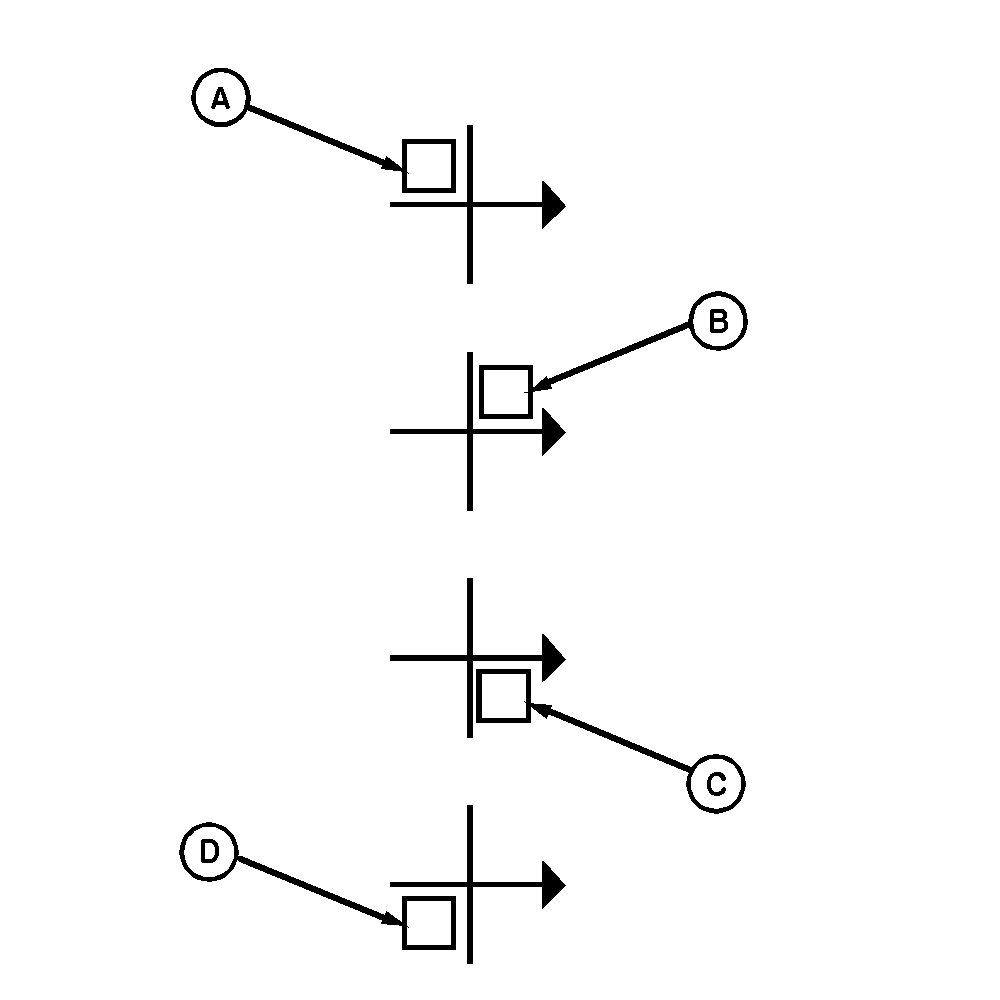
A square that will appear on left-hand side of display will change location each time you store a number to indicate which calibration code should be entered next:

  • upper left quadrant (A) of digital display for factory code
  • upper right quadrant (B) for machine code
  • lower right quadrant (C) for tire radius
  • lower left quadrant (D) for engine pulses

3. Enter and store following factory, machine, tire size, and engine pulse codes:

  • Enter JDDMW Factory Code

    006 if tire radius will be in inches or

    026 if tire radius will be in millimeters

  • Enter Machine Code

    007

  • Enter Tire Radius Specification

Specification

20.8›42 R1 Tire -Radius 917 mm  (36.1 in.)
20.8›42 R2 Tire -Radius 932 mm  (36.7 in.)
  • Enter Engine Pulses..........27

4. Turn key switch to OFF. Tachometer is now programmed for your machine.

N42189NL


A-Upper Left Quadrant
B-Upper Right Quadrant
C-Lower Right Quadrant
D-Lower Left Quadrant

OUO6043,0001410 -19-04JUN01-2/2