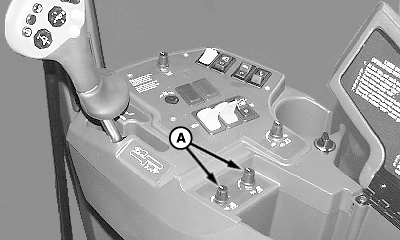
Header Height Control Lock Procedure-Address 35This procedure will "lock" a desired header height into the header height control system. Once this procedure is performed, height control knobs (A) under armrest will be inoperative until system is "unlocked".
|
|
OUO6043,000156A -19-03DEC01-1/2 |
|
1.
Place machine in the field, on the row and raise or lower row units to desired row height using height adjust knobs under armrest.
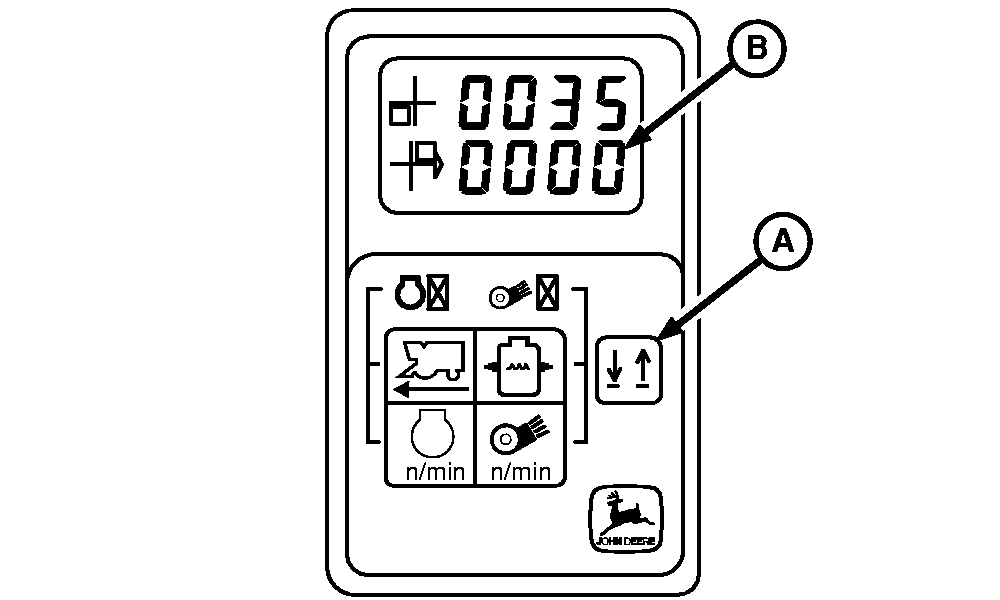
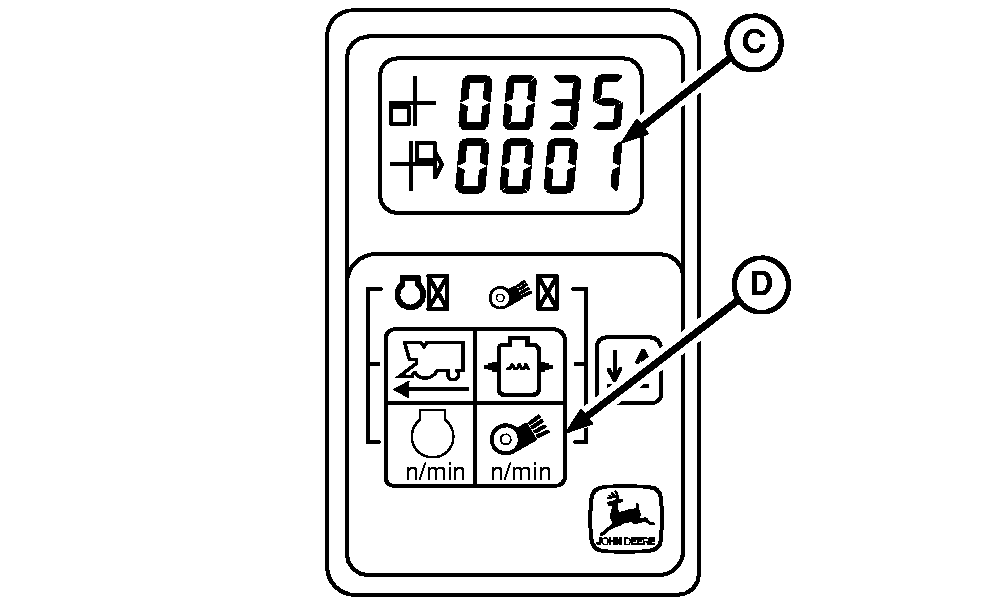
2. Enter diagnostic mode. (See Entering Header Height Control Diagnostic Mode in this section). 3. Press line select switch (A) until address 35 is reached. If 0000 (B) is shown, system is "unlocked" and height may be adjusted using height adjust knobs. If 0001 (C) is shown, system is "locked" and must be "unlocked" before system height can be readjusted using height adjust knobs. 4. Press fan speed switch (D) to toggle between "locked" and "unlocked" position. Turn key switch off to retain setting.
|
|
OUO6043,000156A -19-03DEC01-2/2 |