Header Height Control Calibration ProcedureCalibration of the system is required for proper operation. The following calibration procedure should be performed annually or if one of the row unit sensors is replaced. An assistant will be required to perform this procedure. (See your John Deere dealer if your tachometer display differs from what is described in this procedure.) |
OUO6043,000139E -19-13MAR06-1/9 |
|
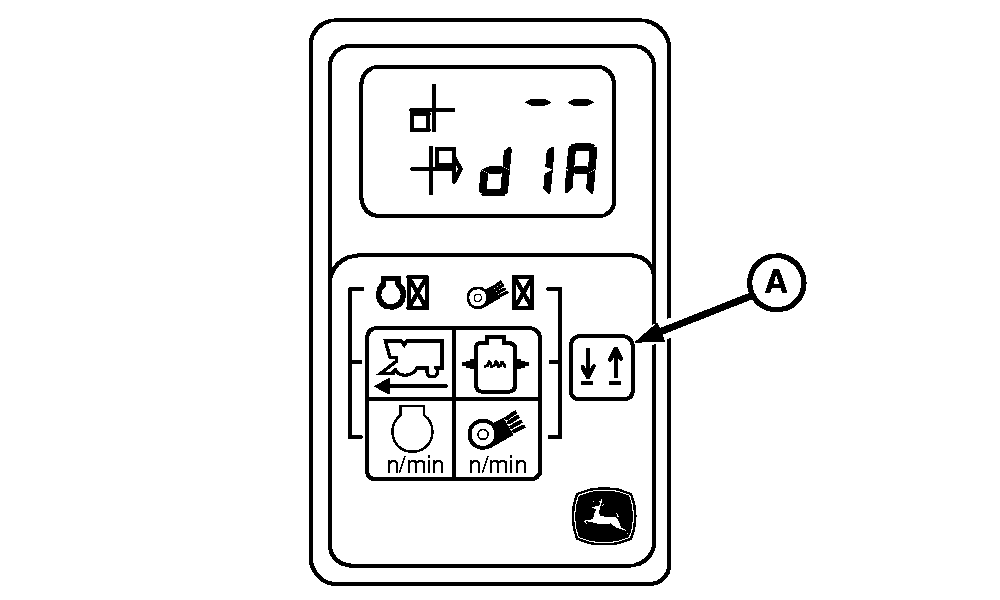
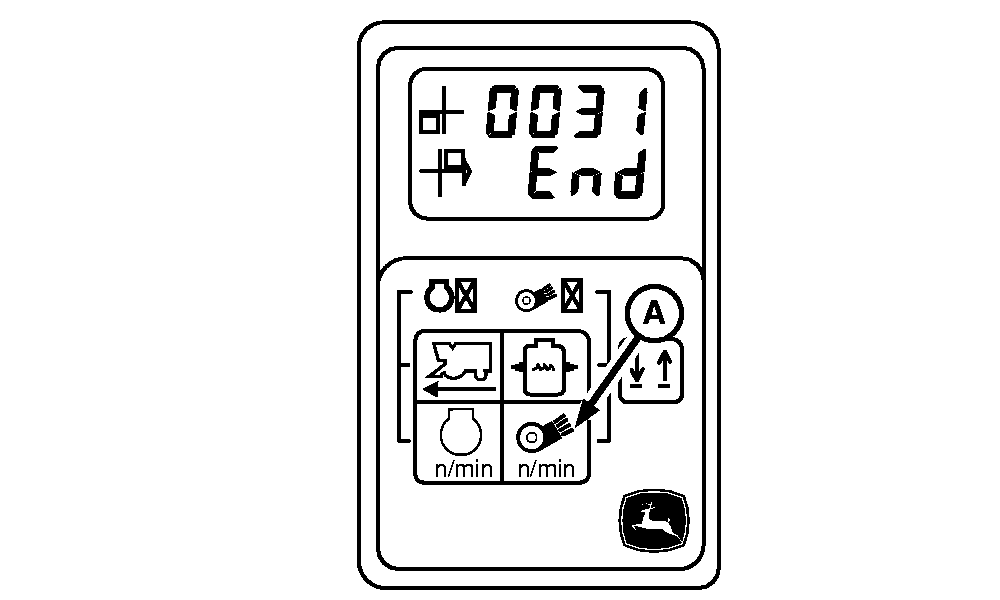
1. Park machine on a flat level concrete surface. Engage park brake switch and turn off engine. Turn off all accessories and verify fan/units switch is off. 2. Press and hold line select switch (A) on tachometer. Turn on key switch and start engine. Release line select switch. 3. Tachometer will now be in diagnostic mode as shown. |
|
 CAUTION:
If you or others become entangled in a unit, serious injury or death can result. Be sure units are disengaged. Keep away from areas which might pinch or crush as units move up and down.
CAUTION:
If you or others become entangled in a unit, serious injury or death can result. Be sure units are disengaged. Keep away from areas which might pinch or crush as units move up and down.
OUO6043,000139E -19-13MAR06-2/9 |
|
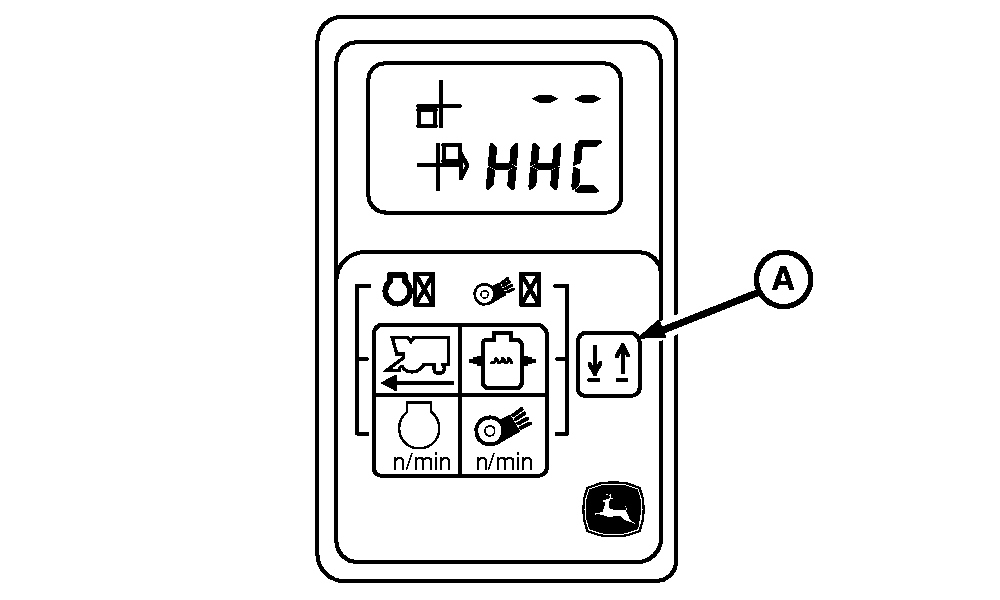
4.
Press and release line select switch (A) until tachometer displays as shown.
|
|
OUO6043,000139E -19-13MAR06-3/9 |
|
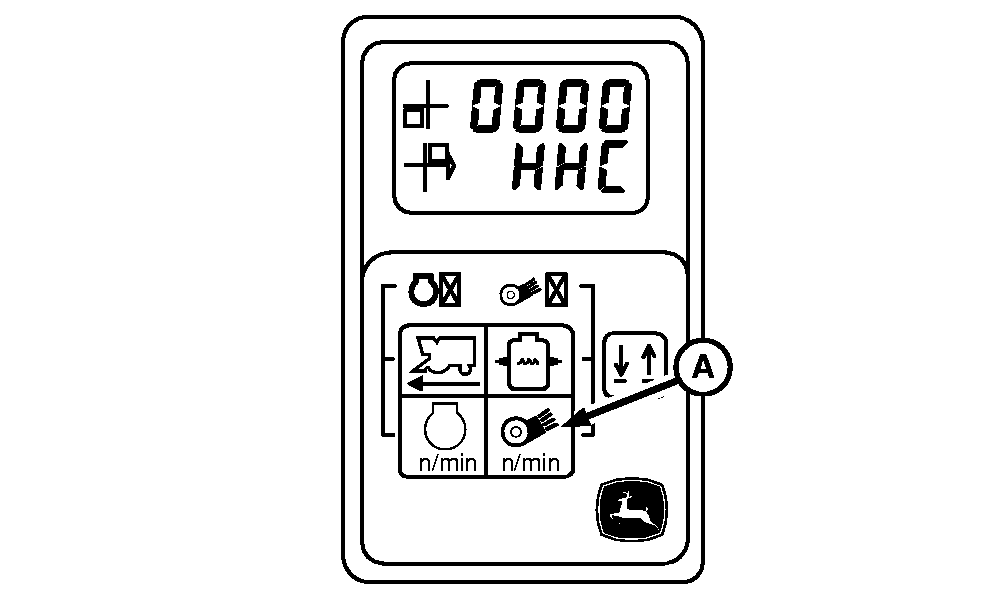
5.
Press and release fan speed switch (A) until tachometer displays as shown.
|
|
OUO6043,000139E -19-13MAR06-4/9 |
|
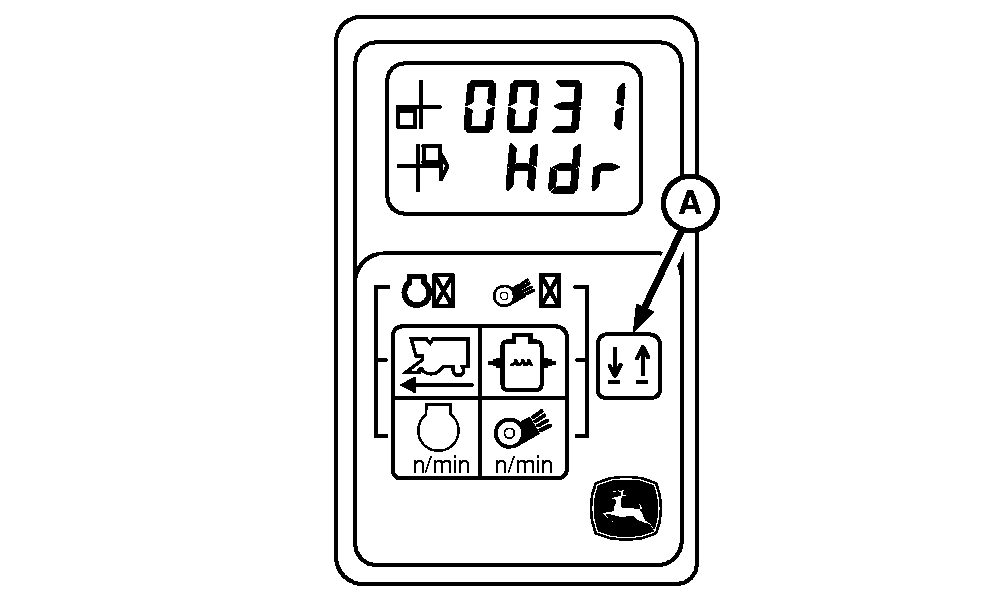
6.
Press and release line select switch (A) until tachometer displays as shown.
|
|
OUO6043,000139E -19-13MAR06-5/9 |
|
7.
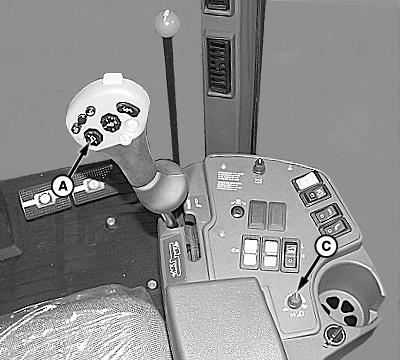
Using raise/lower all units button (A), lower all units completely on concrete surface.
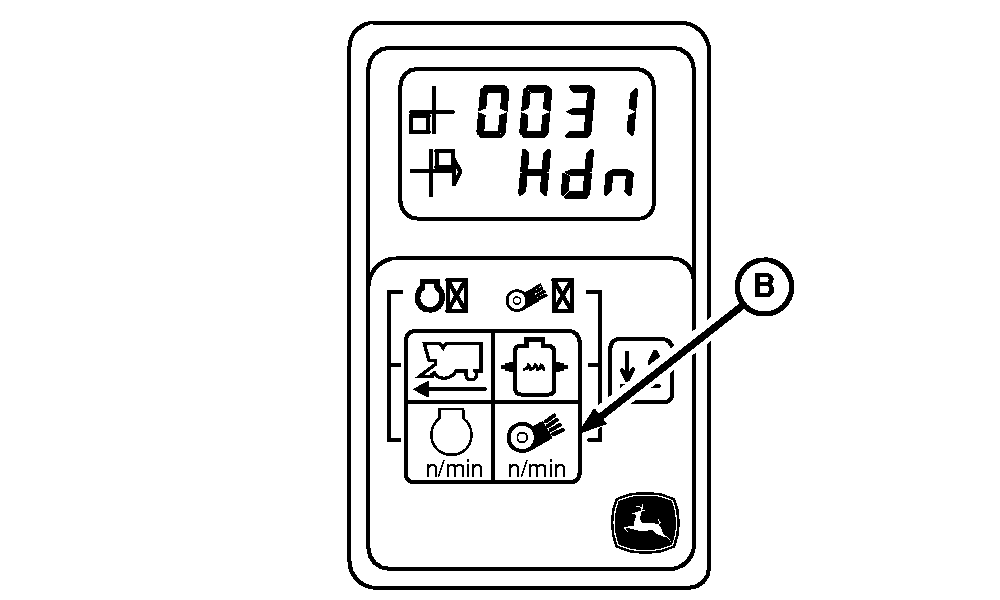
8. Press and release fan speed switch (B). Tachometer will now display as shown. 9. If machine is not equipped with inner height sensing shoes, rotate response rate control knob (C) fully clockwise. If machine is equipped with inner height sensing shoes, rotate response rate control knob fully counterclockwise.
|
|
OUO6043,000139E -19-13MAR06-6/9 |
|
10.
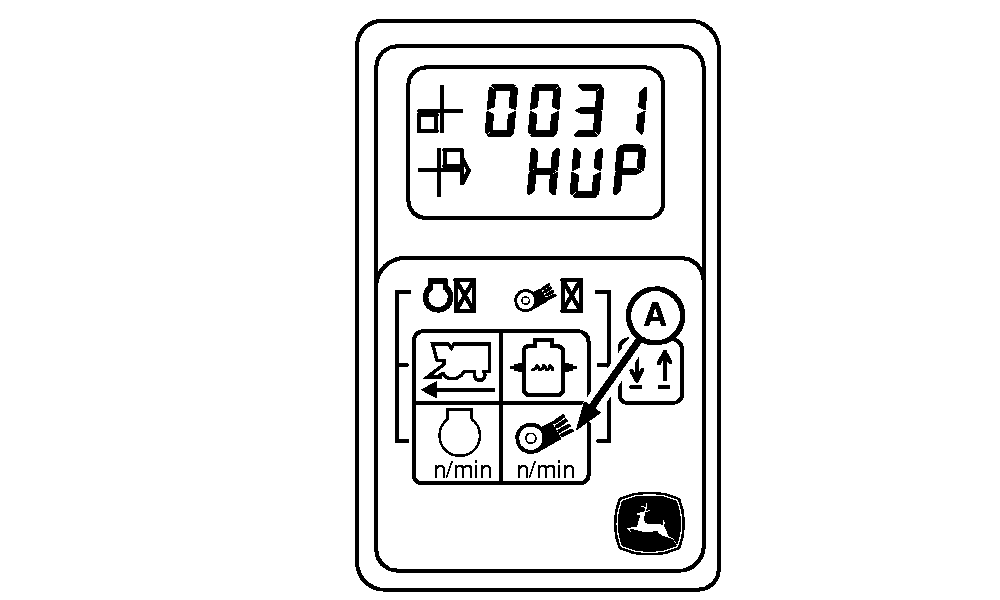
Press and release fan speed switch (A). Tachometer will now display as shown.
|
|
OUO6043,000139E -19-13MAR06-7/9 |
|
11.
Raise all row units using raise/lower all units button until height sensors are not touching concrete surface.
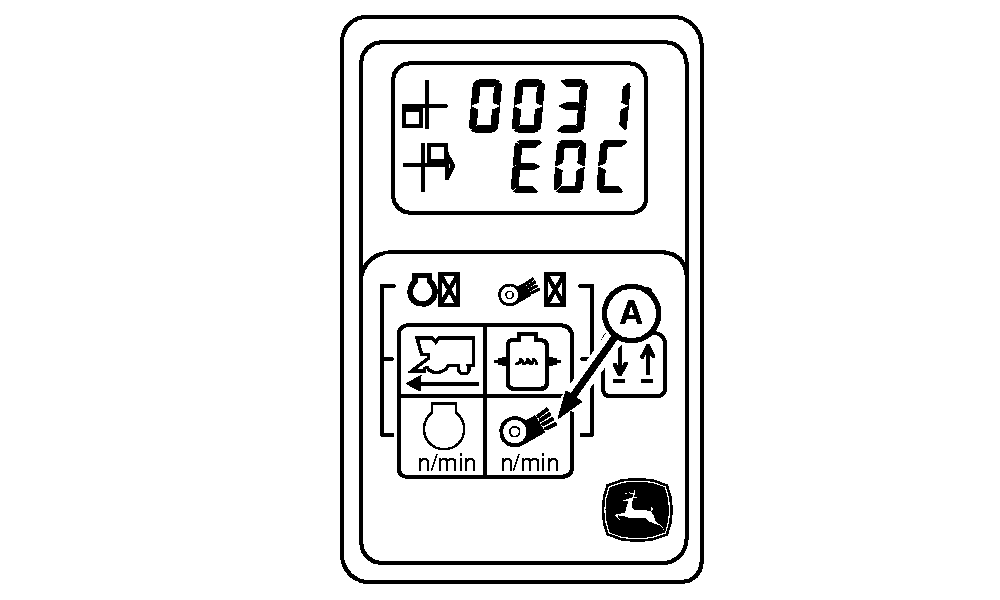
12. Press and release fan speed switch (A). Tachometer will now display as shown.
|
|
OUO6043,000139E -19-13MAR06-8/9 |
|
13.
Press and release fan speed switch (A) to store all calibration values. Tachometer will now display as shown.
14. Turn off machine and restart to return header height control system to normal operation mode.
|
|
OUO6043,000139E -19-13MAR06-9/9 |