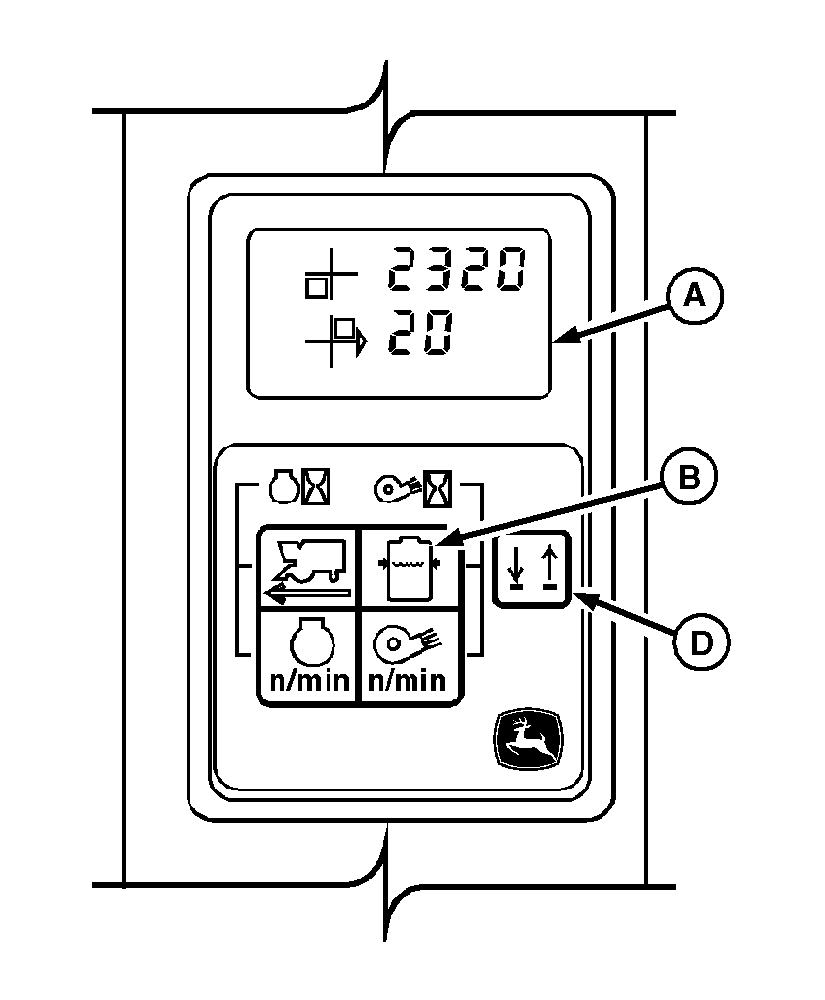
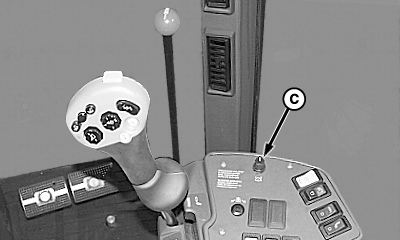
Adjusting Solution PressureIMPORTANT: The solution pump is engaged whenever cotton fan is engaged. DO NOT let solution pump run dry or seal damage can occur. Always remove solution pump drive belt for dry picking. 1. Engage fan and increase engine speed to fast throttle position.NOTE: Use the Line Select switch (D) to select the appropriate line on the digital display. 2. Change digital display (A) to indicate solution pressure by pressing switch (B). NOTE: Low moistener system pressure indicator will light and a pulsed warning alarm will sound when moistener system pressure drops below 13.8 kPa (2 psi) with fan engaged and engine above 1990 rpm. 3. Adjust solution pressure with knob (C) until display readout is between 103-172 kPa (1.0-1.7 bar) (15-25 psi). To raise pressure, rotate knob clockwise; to lower pressure, rotate knob counterclockwise. Recommended pressure for average conditions is 138 kPa (1.4 bar) (20 psi). (See REACTING TO SPINDLE BUILDUP in this section.) Specification
|
|
OUO6043,000146D -19-13MAR06-1/1 |