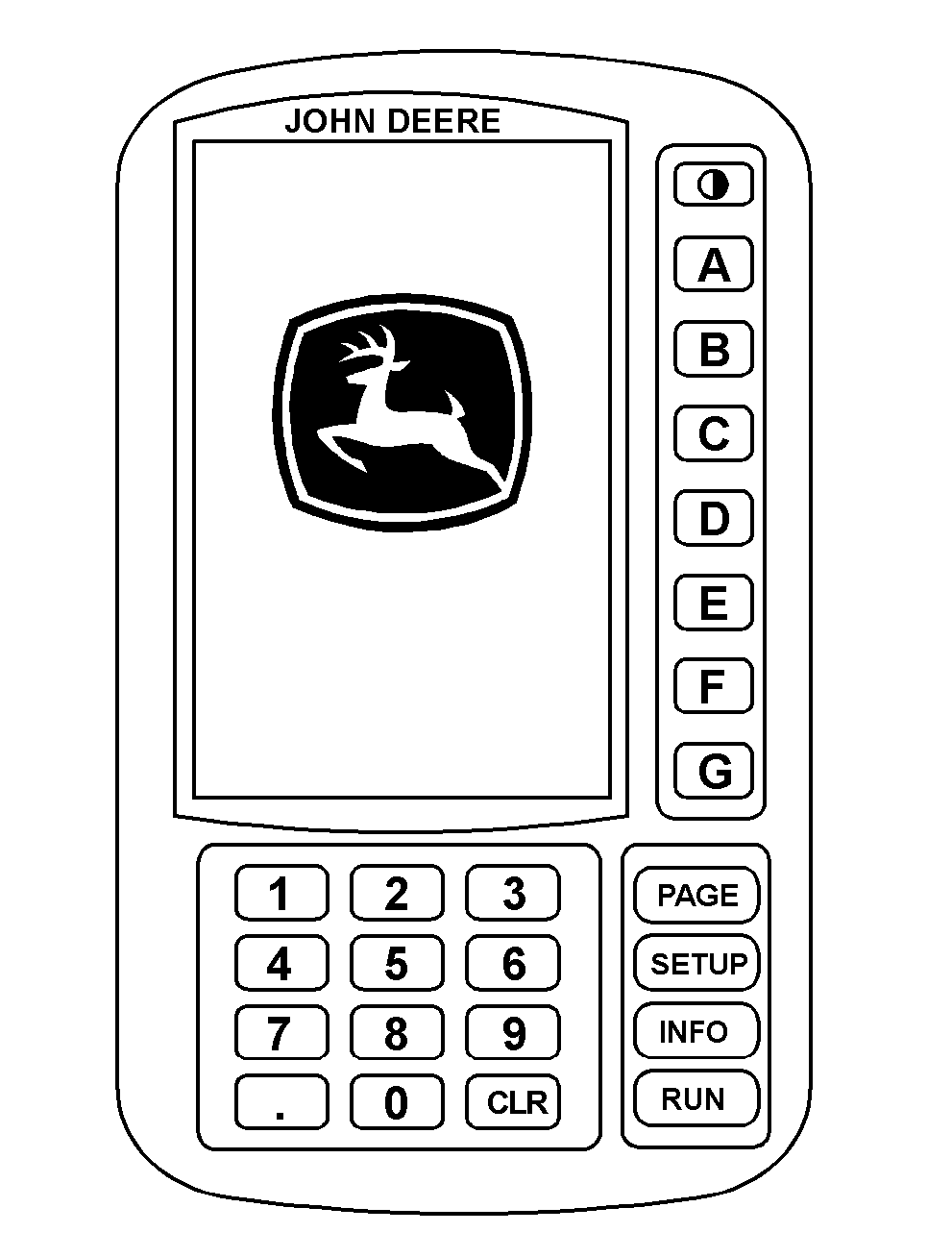
SPRAYSTAR System DisplayIMPORTANT: Display screens illustrated on the following pages are for reference only. Your actual screens may appear differently due to connection of optional devices, software version in use, or customization of screens. The SPRAYSTAR display is the most visible component of the SPRAYSTAR System. The display is a common component on many John Deere products. This display can be removed from the 4720 Sprayer and used in other products if desired, provided the CAN BUS is compatible. The top round switch adjusts LCD contrast. When the switch is pressed, the contrast will slowly change between minimum and maximum contrast. When the desired contrast is obtained, release the switch. The "A" through "G" switches allow selection of options or features. When an option or feature is available, an arrow on the display will point to the associated switch. Text inside or adjacent to the arrow will describe the option or feature. The numeric and decimal point switches ("0-9",".") provide for numeric entry when that is required. The clear switch ("CLR") allows a numeric entry in progress to be cleared and started again. The PAGE switch is used to select between multiple display pages when they are present. When multiple pages are present, the current page is displayed. When only one page is present, no page number is shown. The SETUP switch is used to select the setup mode which allows for setup of the sprayer sensors that are communicating with the SPRAYSTAR control unit. The INFO switch allows access to information that is available for display which is resident within an implement monitor. |
|
OUO6092,0000608 -19-10FEB05-1/2 |
|
The RUN switch is used to select the normal operating display mode which displays spray and chassis information. The key switch must be in the "ON" position for the SPRAYSTAR display to work. The engine does not need to be running. |
OUO6092,0000608 -19-10FEB05-2/2 |